Webtopping

Author name: Sahil Bansal

how to become a digital marketer

How to Get into Digital Marketing in 2026

how to become a digital marketer

If you want to start a career in digital marketing in 2026, the best way is to first learn the basics. Digital marketing includes things like SEO (making websites show up on Google), social media marketing, email marketing, writing content, and online ads. You can find free and paid courses on websites like Google Digital Garage, Coursera, and HubSpot. These courses help you understand how digital marketing works and give you certificates too.

After learning, try to get some practice. You can start your own blog, help a friend’s business, or do small projects for local shops. You can also look for internships or freelance jobs. Try to build a portfolio that shows what you can do. This will help you when applying for jobs. Joining online groups on LinkedIn or going to free webinars is also useful. It helps you meet other people in the field and learn more. Digital marketing is growing fast, so keep learning and practicing to build a good career.

What Does a Digital Marketer Do? 

A digital marketer is someone who promotes products or services using the internet and other digital channels. Their main goal is to help businesses reach more people online, attract potential customers, and turn those people into actual buyers.

Daily Tasks of a Digital Marketer

Here are some common activities digital marketers do:

1. Content Writing: They write blog posts, product descriptions, website content, and more. Good content helps attract people to the website and keeps them engaged.

2. Social Media Management: They post on platforms like Facebook, Instagram, LinkedIn, or Twitter. The aim is to connect with people, share useful content, and build a loyal audience.

3. Online Advertising: They create ads on platforms like Google Ads, Facebook Ads, or Instagram. These ads help bring more visitors to a business’s website or increase sales.

4. Email Marketing: They design newsletters or email campaigns to keep in touch with customers. Emails can share news, promotions, tips, or offers.

5. Video Marketing: They create videos for platforms like YouTube or Instagram. Videos can be tutorials, brand stories, customer reviews, or product promotions.

6. SEO (Search Engine Optimization): They make sure a website ranks higher on Google by using the right keywords, writing quality content, and fixing technical issues.

7. Analyzing Data: Using tools like Google Analytics, they check how people are behaving on a website. This helps understand what is working and what needs improvement.

Why Choose a Career in Digital Marketing

Digital marketing offers endless growth opportunities, creativity, and flexibility. With businesses shifting online, the demand for skilled marketers is rising. You can work across industries, learn new tools, and build a rewarding career with global reach. If you’re thinking about starting a career in digital marketing, here are some strong reasons why it could be the perfect path for you:

1. High Demand

Digital marketing is in high demand as businesses shift online to connect with customers. Companies need skilled professionals to manage SEO, social media, ads, and content. The rise in e-commerce and digital services has made digital marketing roles essential for growth. Whether it’s startups or large corporations, there’s a continuous demand for talent, ensuring job security and a steady flow of career opportunities across different industries.

2. Versatility

Digital marketing offers a wide range of roles like SEO specialist, content writer, PPC expert, social media manager, and email marketer. This versatility allows professionals to explore different paths based on their skills and interests. Whether you’re analytical or creative, there’s a niche for you. The flexibility in roles also means you can shift specialties as the market changes, helping you stay relevant and adaptable in your career.

3. Creativity and Innovation

Digital marketing is the perfect field for those who love thinking outside the box. From designing eye-catching campaigns to creating engaging content and visuals, there’s constant room for creative expression. Marketers use storytelling, branding, and innovative strategies to connect with audiences. As trends evolve, professionals must innovate to stay ahead, making it a dynamic field that encourages fresh ideas and creative experimentation every day.

4. Data-Driven Decision-Making

In digital marketing, data plays a major role in shaping strategies. Marketers use analytics tools to track user behavior, campaign performance, and conversions. This data helps make informed decisions that improve ROI and campaign effectiveness. Professionals can adjust tactics in real-time based on insights, making marketing more precise and results-oriented. Understanding data and metrics is key to success, allowing marketers to balance creativity with measurable outcomes.

5. Constant Learning

Digital marketing is always changing with new tools, trends, and algorithms. This makes it an ideal career for those who love learning and staying updated. From mastering Google Analytics to adapting to social media algorithm updates, professionals must continually upgrade their skills. Online courses, webinars, and certifications help keep knowledge fresh. This constant evolution keeps the work exciting and offers endless opportunities to grow and improve professionally.

6. Remote Work Opportunities

Many digital marketing roles can be done remotely, making it ideal for people who value flexibility and work-life balance. With just a laptop and internet connection, professionals can manage campaigns, hold virtual meetings, and analyze data from anywhere. This opens up global job opportunities and allows for freelancing or agency work from home. The remote-friendly nature of digital marketing suits the modern lifestyle and supports personal freedom.

7. Impactful Work

Digital marketing lets you make a visible impact by helping brands grow and reach new audiences. Whether it’s increasing website traffic, improving sales, or building brand awareness, your work produces real, measurable results. Seeing your strategy succeed gives a sense of accomplishment. You help businesses connect with their customers and drive meaningful engagement. This ability to influence growth and success makes the role highly fulfilling and rewarding.

8. Global Reach

Digital marketing connects brands to global audiences through online platforms. As a digital marketer, your campaigns can reach people across countries and cultures, breaking geographical barriers. You gain insights into international trends, customer behavior, and market dynamics. This global perspective enhances your experience and opens up worldwide job opportunities. Working with international clients or remote teams gives your career a broader, more enriching outlook in the global economy.

How to Get Into Digital Marketing with No Experience

You don’t need to have worked in marketing before to begin. In fact, many professionals learn how to start digital marketing with no experience through self-study and freelancing

Step-by-Step Guide to Start Digital Marketing

Let us now break down how to start digital marketing in simple steps that anyone can follow.

1. Learn the Basics of Digital Marketing

Before diving in, it’s important to understand what digital marketing actually involves. This includes areas like SEO, social media marketing, pay-per-click (PPC) advertising, email marketing, affiliate marketing, content writing, and video marketing. Each of these plays a role in helping businesses grow online.

Use free beginner-friendly resources like:

  • Google Digital Garage
  • HubSpot Academy
  • Coursera
  • YouTube tutorials
  • Learn basic terms, tools, and strategies used in the digital space
  • Explore each field to figure out what interests you most

2. Build Practical Digital Marketing Skills

Once you understand the basics, start practicing to gain real experience. Learning theory is helpful, but digital marketing is a hands-on field. Practicing regularly helps you build confidence and apply your knowledge.

Tools and platforms to try:

  • Google Ads: Practice creating search and display ads
  • Canva: Design eye-catching social media graphics
  • Mailchimp: Create email marketing campaigns
  • Google Analytics: Learn to analyze website traffic
  • WordPress: Build and manage simple websites

Start small by writing blog posts, managing social media, or running a test campaign with a small budget

3. Earn a Digital Marketing Certification

Certifications help you prove your skills, especially if you don’t have a college degree in marketing. They show that you’re serious and knowledgeable. Many platforms offer industry-recognized certificates that employers value.

Top platforms offering free or low-cost certifications:

  • Google (Google Ads & Analytics)
  • Meta (Facebook Blueprint courses)
  • HubSpot Academy
  • Coursera & LinkedIn Learning

These certificates can strengthen your resume and help you get jobs or freelance projects

4. Choose a Digital Marketing Path

Digital marketing has many branches. After exploring them, choose one path to focus on first. Specializing helps you grow faster and makes you more competitive. You can always expand your skills later.

Common paths to choose from:

  • Content Marketing: ideal if you enjoy writing
  • Social Media Management: for those who love creativity and trends
  • SEO & SEM: perfect if you’re data-driven and analytical
  • Video Marketing or YouTube Management: for creative visual thinkers

Choosing one path gives clarity and direction to your learning journey

5. Start Building a Portfolio

A portfolio is proof that you can do what you claim on your resume. Employers and clients want to see examples of your work, especially if you’re starting without prior job experience. A strong portfolio builds trust and sets you apart from other beginners.

What to include in your portfolio:

  • Blog posts you’ve written
  • Social media pages you’ve managed
  • Screenshots of email campaigns or ad results
  • Brief descriptions of what you did and why
  • Use platforms like WordPress, Notion, or Behance to showcase your work

6. Apply for Internships or Freelance Projects

To gain real-world experience, apply for internships, entry-level jobs, or freelance work. Even unpaid or low-paid opportunities are valuable at the beginning because they help you build a track record and gain testimonials.

Where to find opportunities:

  • LinkedIn – for digital internships and job postings
  • Internshala – especially useful for beginners in India
  • Upwork & Fiverr – to try freelance gigs
  • Local businesses – offer to help them with social media or ads

Every project helps you gain skills, testimonials, and confidence

7. Network and Create a Personal Brand

Digital marketing is all about online presence, and that includes you. Building a personal brand helps you connect with industry experts, attract job offers, and grow your influence. You don’t need to be an expert to start, just be consistent and share your learning journey.

Tips to build your personal brand:

  • Be active on LinkedIn, Twitter, or Instagram.
  • Share what you’re learning, the tools you’re using, and project results.
  • Post tips, small wins, and case studies.
  • Join Facebook groups, WhatsApp groups, and attend webinars.
  • Engage with posts by marketers and companies to build relationships.

8. Stay Updated with Digital Marketing Trends

The digital world changes quickly. Google updates its algorithm, Facebook changes its ad policies, and new tools emerge all the time. Staying updated ensures your strategies remain effective and relevant.

How to stay updated:

  • Follow top blogs like Moz and HubSpot.
  • Subscribe to marketing newsletters.
  • Join LinkedIn and Reddit marketing groups.
  • Attend webinars and digital events.

9. Start a Personal Project or Side Hustle

If you want to stand out, start your own digital project. It could be a blog, affiliate website, social media page, or YouTube channel about something you’re passionate about. This helps you apply multiple digital marketing skills in one place, and also gives you full control to experiment and grow.

Ideas for personal projects:

  • A blog about fashion, food, travel, tech, or any hobby.
  • An Instagram page about memes, quotes, or tips.
  • A YouTube channel reviewing books or tutorials.
  • A small affiliate marketing site to earn passive income.

10. Create a Simple Resume and Keep Applying

Even with just certifications, personal projects, or internships, you can create a strong resume that gets noticed. Keep it clear, honest, and focused on results. Apply consistently, and don’t be discouraged by rejections they are part of the journey.

Tips to build your digital marketing resume:

  • Mention certifications with issuing platforms and dates.
  • Add links to your portfolio and personal projects.
  • Include tools you’ve used (Google Ads, Canva, Mailchimp, etc.).
  • Customize your resume and cover letter for each job.
  • Use job boards like LinkedIn, Indeed, AngelList, and Naukri.

Conclusion 

Starting a career in digital marketing is easier than ever, even without prior experience or a formal degree. By learning the basics through free courses, practicing with small projects, and building a strong portfolio, anyone can enter this growing field. Digital marketing offers creativity, flexibility, and high demand across industries. Whether you choose content writing, SEO, social media, or paid ads, the career path is filled with opportunities to grow and succeed. Keep learning, stay updated with trends, and network with others in the field to stay ahead. With dedication and the right skills, you can build a rewarding career in digital marketing and even explore freelancing or start your own business in the future.

Frequently Asked Questions

How to get into digital marketing without a degree

Start by learning free online courses on platforms like Google Digital Garage and HubSpot. Build skills in SEO, social media, and ads. Create a portfolio through internships, freelance work, or your own blog. Gain experience, stay updated, and network to grow.

How do I start a digital marketing business from scratch?

To start a digital marketing business, begin by learning essential skills such as SEO, Google Ads, social media strategy, and analytics. Then, choose your niche, register your business, build a professional website, and set clear pricing packages.

Is digital marketing business profitable?

Yes, a digital marketing business can be highly profitable. With low startup costs and high demand, especially from small and medium businesses, you can earn consistent revenue with the right strategy, pricing, and client management.

What kind of entry-level roles can I apply for?

When researching how to get a job in digital marketing, look for entry-level roles like SEO analyst, content creator, social media assistant, or digital marketing trainee. These help you gain experience and move up to more advanced roles over time.

Do I need a website to start online marketing?

Having a website helps build trust and gives your business a home online. While not required at the very beginning, most people learning how to start online marketing eventually create one to support their marketing efforts and track results.

How to Get into Digital Marketing in 2026 Read More »

what is a social media manager

What Is a Social Media Manager? Importance for Business Growth

Social media has completely changed the way businesses connect with their audiences. Behind every engaging post, viral campaign, and active online community is a professional who brings it all together a social media manager.

In this guide, we’ll provide a comprehensive, step-by-step approach to help you understand what a social media manager is, what they do, how to become one, the key skills you need, the tools they use, and how this role can drive business growth. Whether you are a business owner looking to improve your social presence or someone aspiring to build a career in social media, this guide will give you practical insights and actionable tips to succeed.

Understanding the Social Media Manager Meaning

The social media manager meaning is simple, a social media manager is a professional responsible for creating, managing, and growing a company’s presence on social media platforms. This role goes beyond simply posting updates; it involves strategy, engagement, analytics, and continuous adaptation to trends. Social media managers act as the voice of the brand online, ensuring that every post aligns with the company’s goals and resonates with the target audience.

Social media is dynamic, and platforms evolve constantly. Therefore, the role of a social media manager is both creative and analytical, requiring a balance of content creation skills, marketing knowledge, and data interpretation.

What Does a Social Media Manager Do? Complete Role Explanation

One of the most important questions is what does a social media manager do in real working conditions. This role goes far beyond posting images. It includes strategic planning, daily execution, communication, advertising, performance analysis, and brand protection.

Below is a complete breakdown of daily, weekly, monthly, and long-term responsibilities.

  • Content Creation and Planning: Social media managers create posts, images, videos, and stories that reflect the brand. They design a content calendar to ensure consistent posting and align content with campaigns or events.
  • Community Engagement: Social media managers chat with followers, answer questions, and reply to comments or messages. This helps the audience feel valued and builds real trust and loyalty.
  • Community Engagement: Responding to comments, messages, and mentions is vital. Social media managers ensure the audience feels heard, which builds trust and loyalty.
  • Analytics and Reporting: They watch how people interact with posts likes, comments, shares, and clicks. By seeing what connects with the audience, they can tweak content and strategies to make campaigns even more successful.
  • Paid Advertising Campaigns: Running paid ads on platforms like Facebook, Instagram, LinkedIn, or TikTok takes more than just a budget it requires strategy. Social media managers optimize campaigns to reach the right audience and get the best results from every rupee spent.
  • Collaboration: They work closely with designers, copywriters, and marketing teams to make sure every post fits the bigger picture. Their role connects everyone, keeping the brand’s story consistent and engaging.

Skills of a Social Media Manager

A social media manager does much more than just share updates online. They are part creative thinker, part strategist, and part data detective, all working together to help a brand connect with people and grow. Here’s a closer look at what makes a social media manager truly effective:

1. Creating Engaging Content

Social media is all about grabbing attention. A good manager knows how to create posts, videos, and visuals that are not just attractive but also tell the brand’s story in a simple and appealing way.

2. Writing Captivating Messages

Great captions and posts don’t just share information they start conversations. Social media managers know how to write in a friendly, relatable tone that makes people care about the brand.

3. Reading the Numbers

Likes, shares, comments, and clicks are more than stats they reveal what people enjoy. Managers study this data to understand their audience better and create content that works.

4. Planning Strategically

Every post has a purpose. Managers organize content and campaigns to match the brand’s goals, making sure everything fits together like pieces of a bigger plan.

5. Communicating Effectively

They engage with followers by replying to messages and comments. They also work closely with designers, marketers, and other teams to make sure campaigns run smoothly.

6. Keeping Up with Change 

Social media moves fast. Trends, algorithms, and tools evolve all the time. Strong managers adjust quickly to stay ahead and keep the brand fresh.

7. Managing Time Well

With so many platforms and campaigns happening at once, staying organized is key. Managers schedule posts, prioritize tasks, and make sure nothing slips through the cracks.

Social Media Manager vs Social Media Marketer

While the roles of Social Media Manager and Social Media Marketer can overlap, they focus on different sides of social media work.

1. Social Media Manager

A Social Media Manager is like the captain of your social media ship. They oversee the big picture and make sure your brand stays active and consistent online. Their main responsibilities include:

  • Content planning and scheduling: Creating a content calendar and posting regularly so your audience always has fresh content.
  • Community management: Engaging with followers by replying to comments and messages.
  • Brand voice and identity: Ensuring your brand looks and feels consistent across all platforms.
  • Performance tracking: Monitoring metrics like engagement, follower growth, and reach to refine strategies.
  • Team coordination: Collaborating with designers, writers, or agencies to produce high-quality content.

Think of the Social Media Manager as the strategist who keeps everything organized and ensures your brand stays strong and consistent online.

2. Social Media Marketer

A Social Media Marketer is focused on growth and results. Their goal is to use social media to drive sales, leads, or other measurable outcomes. Their main responsibilities include:

  • Running paid campaigns: Using ads on platforms like Facebook, Instagram, LinkedIn, or TikTok to reach the right audience.
  • Lead generation and conversions: Turning social media activity into website visits, sign-ups, or sales.
  • Analytics for marketing goals: Tracking ROI, ad performance, and campaign success to improve results.
  • Content optimization for marketing: Designing posts that encourage people to take action.
  • Audience research: Understanding the target audience and tailoring messages to attract them.

How to Become a Social Media Manager

Becoming a social media manager is an ideal career for people who love creativity, communication, and technology. Social media managers handle the online presence of businesses, brands, or individuals. They create content, schedule posts, interact with followers, and analyze results to improve engagement. Success in this role requires a mix of creativity, strategy, and technical skills. Here are five essential steps to become a social media manager:

1. Learn Different Social Media Platforms

A social media manager must understand platforms like Facebook, Instagram, LinkedIn, Twitter, TikTok, and YouTube. Each platform has its own audience, trends, and content style. By exploring these platforms daily, one can learn what content performs best, what trends are popular, and how to interact with followers effectively.

2. Gain Practical Experience

Hands-on experience is vital. Start by managing social media accounts for small businesses, local brands, or personal projects. Internships, freelance work, and volunteering provide real-world exposure. Practical experience teaches how to handle challenges, schedule posts, respond to comments, and run campaigns effectively.

3. Keep Learning and Networking

Social media trends change fast. Following industry blogs, attending webinars, and joining online groups help stay updated. Networking with other social media managers can create new opportunities and insights.

By following these steps, one can develop the skills, experience, and knowledge required to succeed as a social media manager.

How to Be a Social Media Manager

Being a social media manager is not just about knowing the tools or posting content. It’s about adopting the right mindset and approach to succeed in this dynamic field. Here’s how to do it effectively:

  • Stay Proactive and Ahead of Trends: Always monitor the latest social media trends, platform updates, and audience preferences. Being proactive helps you keep your brand relevant and competitive.
  • Develop Storytelling Skills: Create content that connects with your audience emotionally. Good storytelling makes posts memorable and encourages engagement.
  • Continuously Learn and Adapt: Social media platforms and tools evolve constantly. Regularly learning new strategies and experimenting with new formats ensures you remain effective.
  • Think Strategically and Analytically: Align social media activities with the overall business goals. Use analytics to understand performance, measure success, and improve future campaigns.
  • Balance Creativity with Data: While creativity is essential for engagement, data-driven decisions ensure your efforts are effective and aligned with results.

Adopting this approach not only helps you enter the role but also ensures long-term growth and success as a social media manager.

How Much Does a Social Media Manager Make?

The salary of a social media manager depends on experience, location, and the size of the company. Here’s a breakdown:

  • Entry-Level: Typically earns $35,000 to $50,000 per year. These are professionals who are just starting and may handle basic content creation, scheduling, and community engagement.
  • Mid-Level: Usually earns $50,000 to $70,000 per year. These managers have more experience, handle campaigns, analyze performance, and may manage small teams.
  • Senior-Level: Can earn $70,000 to $100,000+ per year. They often oversee strategy, large campaigns, and manage multiple platforms or teams.

Freelance Social Media Managers:

  • Hourly rates range from $20 to $100 per hour.
  • The rate depends on experience, expertise, and the complexity of the project. For example, managing ad campaigns or brand strategy typically commands higher fees than posting content alone.

Importance of a Social Media Manager for Business Growth

A social media manager does more than just post updates they are the bridge between your business and your audience. Here’s how they help your business grow:

  • Increase Brand Visibility: By sharing content consistently and creatively, they make sure more people discover your brand.
  • Build Customer Relationships: Talking directly with followers builds trust, loyalty, and a sense of connection.
  • Boost Sales and Leads: Thoughtful campaigns can turn curious followers into happy customers.
  • Keep an Eye on Competitors: They help your business stay ahead by noticing what works for others and adapting smartly.
  • Measure Success: By analyzing results, they make sure every post and campaign actually helps your business grow.

Having a skilled social media manager on your team means your brand looks professional online, connects better with people, and ultimately earns more.

Conclusion

Understanding what is a social media manager is crucial in today’s digital-first world. From crafting engaging content to analyzing performance and building a loyal audience, social media managers play a pivotal role in business growth. Their skills, tools, and strategies help businesses connect with customers, stay ahead of competitors, and achieve long-term success.

For those looking to enter this dynamic field, learning the skills, gaining experience, and using the right tools can pave the way for a rewarding career. For businesses, hiring a qualified social media manager ensures that every post, campaign, and interaction drives meaningful results.

A social media manager is no longer an optional role. It is a strategic necessity for any brand looking to thrive in the competitive digital landscape.

Frequently Asked Questions (FAQs)

What are the common challenges in this role?

Common challenges in a social media manager role include keeping up with constantly changing platform algorithms, creating engaging content consistently, managing tight deadlines, handling negative feedback or crises, measuring ROI accurately, coordinating with multiple teams, and balancing creativity with data-driven strategies to achieve business objectives effectively.

What is the best tool to manage social media?

One of the best tools for managing social media is Hootsuite it supports scheduling posts across multiple platforms, monitors engagement, tracks analytics, and lets teams collaborate. Such tools save time, ensure consistent posting, and provide insights to optimize content and campaign performance.

How do social media managers measure campaign success?

Social media managers measure campaign success using key metrics like engagement rates, reach, impressions, click-through rates, conversions, and follower growth. They track audience interactions, analyze traffic sources, and monitor ROI. Tools like analytics dashboards help assess performance, optimize strategies, and ensure campaigns align with overall business goals effectively.

What are the main responsibilities of a social media manager?

A social media manager plans and schedules content, posts consistently, responds to comments and messages, and engages with the audience. They work on growing followers, improving brand visibility, analyzing performance metrics, running campaigns, staying updated with trends, and adjusting strategies to boost reach and engagement.

What is the difference between a social media manager and a content manager?

A social media manager handles daily activities on social platforms like posting, replying to comments, running campaigns, and tracking performance. A content manager plans, creates, and manages all types of content such as blogs, videos, and website content, making sure everything follows the brand’s overall strategy and message.

What Is a Social Media Manager? Importance for Business Growth Read More »

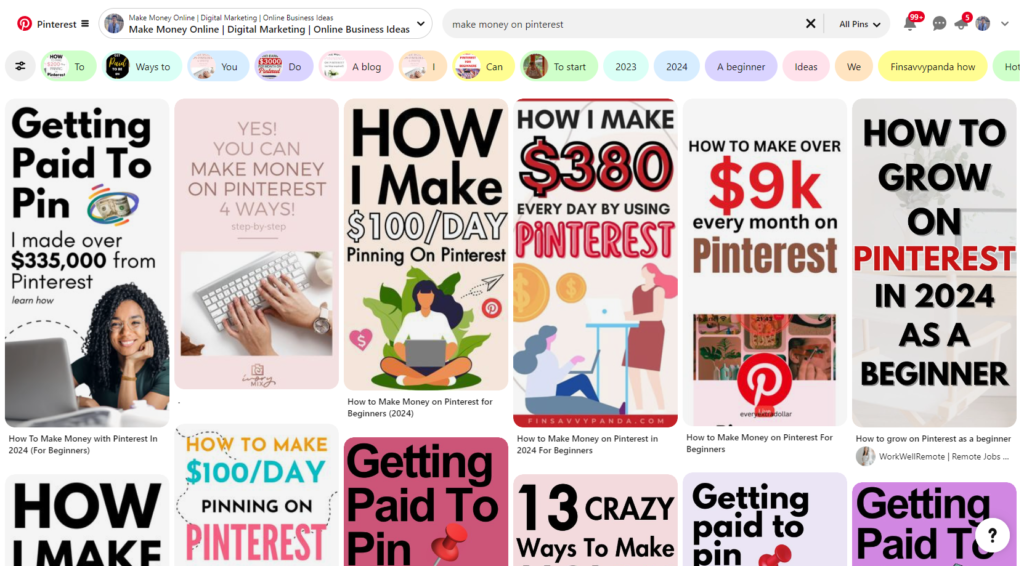
How To Make Money On Pinterest

How to Make Money on Pinterest 2026: A Step-by-Step Guide for Beginners

If you think Pinterest is just for collecting cool DIY projects or dream wedding ideas, think again. 

In 2026, this platform evolved into a powerful engine for making money online. With the right strategies, anyone from creatives and business owners to affiliate marketers can turn Pinterest into a reliable source of income.

You’re in the right place if you’ve been looking for ways to bridge that gap between inspiration and income

Whether you want to drive traffic to your blog, sell products, or partner with brands, Pinterest can be the key to achieving your financial goals. The beauty? It’s free to use, and with a business account, the doors to monetization are wide open. 

This guide will walk you step-by-step through how to get started, grow your presence, and unlock the platform’s full earning potential.

What Is Pinterest and How Does It Work?

Pinterest isn’t just another social media platform; it’s a visual search engine. Unlike Instagram or Facebook, where content is fleeting, Pinterest offers users evergreen content through visually appealing “Pins. These Pins link to websites, product pages, and blogs, making it a traffic driver and discovery tool.

So, how does Pinterest work? Users search for topics and save relevant Pins to personal boards for future reference. Businesses, creators, and marketers take advantage of this by creating optimized content to appear in searches. But here’s the magic: every click, save, or Pin opens doors for income streams.

Is Pinterest free? Absolutely! Setting up a personal or business account costs nothing, though some advanced tools (like ads) require investment. Now, let’s dive into why 2026 is the perfect year to monetize Pinterest.

Why Pinterest Is Ideal for Making Money in 2026

  • Intent-driven audience: Pinterest users often browse with purchasing intent, searching for products and solutions they plan to buy.
  • E-commerce growth: Pinterest is now integrated with platforms like Shopify, making it easy to drive product sales.
  • High engagement: With over 400 million active users, Pinterest continues to grow, providing excellent monetization potential.

How to Get Started on Pinterest as a Beginner?

To start making money on Pinterest, you’ll need to set up a Pinterest business account. This is essential because it unlocks analytics and monetization features.

  1. Create a business account: Follow the prompts on Pinterest’s website.
  2. Set up your profile: Choose a username aligned with your niche and add a clear bio with relevant keywords.
  3. Optimize your boards: Start with 5-10 boards tailored to your niche. Include descriptive titles with keywords to boost visibility.

Choosing a Niche for Your Pinterest Profile

Selecting a niche helps you focus your content and attract a dedicated audience. Popular niches include fashion, travel, health, home decor, and personal finance. A clear niche makes your profile appealing to both followers and potential brand partners, increasing your Pinterest earnings potential.

Different Ways to Make Money on Pinterest in 2026

Whether you love pinning recipes, stylish outfits, or life hacks, Pinterest offers exciting ways to generate income. Below, we break down the most effectivestrategies to monetize Pinterest in 2026, with easy tips, examples, and fun advice. Let’s dive in!

1. Affiliate Marketing: Cash in by Sharing What You Love

Affiliate marketing is a win-win. You recommend cool products through your pins, and if someone buys using your affiliate link! You get a commission. Here’s how to do it right:

  • Create Pins That Catch the Eye: Think colorful, bold images or creative graphics. Imagine you’re scrolling through Pinterest what makes you stop? Use attention-grabbing designs and relatable captions.
  • Embed Affiliate Links Thoughtfully: Use your affiliate links in pin descriptions or blog posts linked to the pin. Make it seamless and natural nobody likes a hard sell.
  • Transparency Is Key: Pinterest loves honesty, and so do your followers. Add hashtags like #ad or a quick note explaining it’s an affiliate link. Trust = More clicks!

📌 Pro Tip: Pin products you genuinely believe in it’ll come through in your content, and your audience will trust your recommendations more.

2. Selling Products on Shopify or Etsy: Turn Pins into Profit

Have a Shopify store or Etsy shop? Pinterest can be your new best friend! It’s like window shopping but from the comfort of home. With the right strategy, every pin can become a product showcase.

  • Direct Store Links = Easy Browsing: Connect your Shopify or Etsy account with Pinterest to let users explore and shop effortlessly. It’s shopping with zero friction!
  • Buyable Pins for Instant Sales: Pinterest offers Buyable Pins, meaning your audience can buy items without even leaving Pinterest how cool is that?
  • Optimize Your Product Pins: Use crisp, scroll-stopping photos (bonus points for lifestyle shots!) and write detailed but concise descriptions. Add relevant hashtags so your pins are easily discoverable.

Fun Idea: Pin collections like Winter Wardrobe Must-Haves or Handmade Gifts for Every Occasion to spark interest in your products.

3. Offering Services: Turn Expertise into Income

Who says Pinterest is just for products? If you’re a coach, consultant, or freelancer, you can promote your services on Pinterest like a pro. It’s the perfect place to showcase your expertise and attract clients.

  • Create Boards That Tell a Story: Use boards to show off client testimonials, case studies, or portfolios. For example, if you’re a graphic designer, create a board displaying your best work.
  • Pin Blog Posts or How-To Guides: Write blog posts related to your services and pin them to drive traffic to your website. Add CTAs like, Book a Free Call or Learn How I Can Help.
  • Use Success Stories to Build Trust: People love seeing results. Pin case studies that highlight client transformations and success you’ll inspire your audience to reach out.

📌 Pro Tip: Keep your pins visually aligned with your brand. Consistent colors and fonts across your boards = instant professional vibes.

4. Sponsored Pins and Brand Partnerships: The Influencer Life Awaits

Got a growing following on Pinterest? Brands are always on the lookout for influencers who can promote their products creatively. Here’s how to make the most of it:

  • Sponsored Pins Done Right: Create sponsored pins that feel like natural recommendations, not advertisements. The more authentic your content, the more engagement you’ll get.
  • Pitch Brands for Collaborations: Don’t wait for brands to find you reach out! Pitch yourself as a Pinterest influencer and explain how you can help them reach their audience.
  • Track Engagement to Showcase Your Impact: Use Pinterest analytics to show brands how much engagement your pins generate this data will help you land better deals.

Fun Idea: Think of creative campaigns, like seasonal boards or themed content (e.g., Summer Essentials with [Brand Name). Brands love unique ideas!

5. Monetizing Blog Traffic: More Clicks, More Cash

Pinterest isn’t just for pinning it’s also a fantastic traffic driver for blogs and websites. The more visitors you get, the better your chances to earn through ads, sponsored posts, or affiliate links.

  • Design Pins with Click Appeal: Create pins that tease the best part of your blog post. Use catchy headlines like 10 Life-Changing Tips for Productivity or How to Save $500 a Month Easily.
  • Use Ad Networks to Monetize Traffic: Platforms like Google AdSense let you earn from the visitors who land on your blog. The more traffic, the more ad revenue!
  • Analyze and Improve: Use Pinterest Analytics to see which pins drive the most traffic. Double down on what works and optimize the rest.

📌 Pro Tip: Create multiple pins for the same blog post with different images and titles. This increases the chances of your content getting noticed!

How to Monetize Pinterest Effectively

Turning Pinterest into a revenue-generating platform takes more than just pinning pretty pictures. You need strategically crafted boards and high-quality pins that attract the right audience and drive traffic. Let’s break down how to monetize Pinterest like a pro with engaging boards and irresistible pins!

1. Building Engaging Pinterest Boards: Organization is Key!

Creating boards that resonate with your audience is the first step toward Pinterest’s success. Well-organized boards help users find exactly what they’re looking for, and if you align them with your niche, you’ll attract the right followers. Here’s how to nail it:

Align Your Boards with Your Niche: Focus on topics relevant to your niche or brand. For example, if you sell home decor, create boards like Rustic Living Room Ideas or DIY Home Projects. This attracts a targeted audience people already interested in what you offer.

Use Keywords in Titles and Descriptions: Just like Google, Pinterest is a search engine. Adding relevant keywords in your board titles and descriptions boosts your visibility. Instead of naming a board Stuff I Like, try Affordable Travel Destinations in 2026. This makes it easier for users to find your content.

Keep Your Boards Well-Organized: Cluttered boards can confuse followers. Keep them organized by grouping related pins under specific themes. Add sub-sections within boards if needed Pinterest users love a well-structured experience!

📌Pro Tip: Update your boards regularly to keep them fresh and seasonal. A well-maintained board signals to Pinterest (and your audience) that you’re active and engaged.

2. Creating High-Quality Pins That Drive Traffic: Pins That Pop!

Not all pins are created equal. Some grab attention and drive tons of traffic, while others get lost in the sea of content. Here’s how to create pins that stand out and boost your monetization efforts.

Design with Tools Like Canva: Canva is your best friend for creating stunning Pinterest pins. Use its templates and customization options to make eye-catching pins even if you’re not a design whiz. A well-designed pin can be the difference between a click and a scroll.

Use High-Resolution Images and Optimal Sizes: Pinterest is a visual platform, so blurry or low-quality images are a no-go. Use high-resolution photos and aim for Pinterest’s optimal pin size of 1000 x 1500 pixels. This ensures your pins display perfectly across devices.

Add Text Overlays to Tell the Story: Ever seen pins with bold text overlays that instantly grab your attention? Adding short but impactful phrases like Top 5 Weight Loss Hacks or Must-Have Travel Gadgets draws users in. Make sure the text is readable and aligned with your brand’s color scheme.

3. Add Clear Calls to Action (CTAs): Guide the Audience to Take Action

Your pins are there to drive traffic and engagement, so don’t leave things to chance! A clear Call to Action (CTA) tells viewers what to do next whether that’s clicking on your link, saving the pin, or making a purchase.

Examples of Effective CTAs:

  • Click to Read the Full Guide.
  • Shop Now for Limited-Time Discounts.
  • Save This Pin for Later!.

Place CTAs Where They’ll Be Noticed:

You can add CTAs to the pin image itself or in the pin’s description. Just make sure they’re simple and actionable. A good CTA nudges the viewer to engage without feeling pushy.

📌Pro Tip: Pins with subtle but strategic CTAs convert better. Test different phrases and placements to see what resonates with your audience the most.

Growing Your Pinterest Presence for Higher Earnings

Want to rake in higher earnings on Pinterest? The secret lies in building a large, engaged audience. The more followers and engagement you generate, the more likely you are to drive clicks, conversions, and profits. Let’s explore proven strategies to grow your Pinterest presence and maximize earnings with ease!

1. Utilizing Pinterest Trends and Analytics: Stay Ahead of the Curve

Pinterest thrives on trendy, timely content. If you can align your pins with what’s trending, you’ll attract more engagement and grow your audience faster. Plus, Pinterest provides built-in tools that make it easy to spot popular trends.

  • Use Pinterest’s Trends Tool to Plan Content: The Pinterest Trends Tool helps you find the hottest topics in real time. If cozy home decor or minimalist meal prep is trending, create relevant content to tap into that wave. Staying in sync with what’s popular will boost your visibility.
  • Seasonal Content = More Engagement: Pinterest is seasonally driven think of Christmas decor, summer fashion, or back-to-school supplies. Plan your content calendar around seasonal themes to stay relevant and ride the engagement wave during peak times.
  • Analyze Performance and Adapt Using Pinterest Analytics: Your content strategy shouldn’t be set it and forget it. Use Pinterest Analytics to monitor which pins get the most clicks, saves, and engagement.
    1. Double down on what works: Create more content similar to your top-performing pins.
    2. Fix what’s underperforming: If certain boards or pins aren’t gaining traction, tweak them try new images, titles, or hashtags.

Pro Tip: Experiment with posting at different times of the day to see when your audience is most active!

2. Collaborating with Influencers and Other Creators: Expand Your Reach

You don’t have to grow your audience alone. Collaborations with influencers and creators in your niche can unlock new opportunities and help you tap into fresh audiences.

  • Partner with Influencers to Cross-Promote Content: Collaborate with influencers or Pinterest creators who align with your brand. If you sell sustainable beauty products, partner with an eco-conscious influencer. Cross-promotions introduce your content to their audience, growing your follower base faster.
  • Host Giveaways to Boost Engagement: Everyone loves freebies! Host a giveaway with other creators to create buzz and boost your visibility. For example: Follow us and save this pin for a chance to win a $100 gift card! Giveaways encourage engagement and help you gain new followers quickly.

Fun Idea: Partner with multiple creators and host themed giveaways like The Ultimate Self-Care Bundle to attract even more attention.

3. Create Content That Resonates with Your Audience: Keep Them Hooked

Having followers is great, but keeping them engaged is the real challenge. Content that resonates with your audience builds trust, keeps them coming back for more, and boosts your earnings.

  • Understand Your Audience’s Needs: Know your audience’s pain points and interests. If you’re targeting moms, create pins that solve common challenges like Easy 15-Minute Dinner Ideas or DIY Birthday Party Decor on a Budget. Engage directly with your audience through comments or polls to learn what content they want.
  • Create Save-Worthy Content: Pins that inspire, solve problems, or provide valuable insights are more likely to be saved. The more saves a pin gets, the more it spreads across Pinterest, boosting visibility and engagement.
  • Stay Consistent and Active: Pinterest rewards consistency. Aim to post new pins or update boards regularly. Engage with other users’ content by commenting, sharing, or saving relevant pins this helps you stay active in the community and attracts more followers.

Pro Tip: Use storytelling in your pins to create an emotional connection with your audience. A personal story related to the content makes it more relatable and shareable.

The Path to Higher Earnings: Grow, Engage, Monetize

Here’s a quick formula:

  • Trendy, optimized content = More visibility
  • Collaborations and giveaways = Rapid follower growth
  • Engaging pins + consistent activity = Loyal, active audience

How Long Does It Take to Make Money on Pinterest?

Pinterest is not a get-rich-quick scheme, but if you play your cards right and stick with it, you’ll see results. Building a following and generating income takes time, consistency, and smart strategy. Let’s break down the general timeline to help you set realistic expectations and stay motivated along the way.

First 1–3 Months: Laying the Foundation for Growth

Your early months on Pinterest are all about getting your profile and content ready to shine. Think of it like planting seeds you won’t see results immediately, but it’s essential to nurture your profile from the get-go.

  • Optimize Your Profile: Create a clear bio with keywords that reflect your niche. Add a professional profile picture or logo and link to your website or store. Make it easy for people to know who you are and what you offer.
  • Focus on Growing Your Audience: Start pinning content daily. The more active you are, the better Pinterest’s algorithm will treat you. Pin a mix of your content and relevant content from others. Engage with other pinners by commenting, liking, and following accounts in your niche.
  • Build Boards Strategically:
    Create boards with relevant keywords that align with your niche and audience’s interests. Boards like Home Decor Hacks or Healthy Recipes on a Budget will attract followers searching for those topics.

Expectations: You probably won’t see much income during this period, but you’ll be laying a solid foundation. Keep your focus on building your audience and experimenting with different types of pins.

4–6 Months: Start Seeing Traffic, Commissions, and Product Sales

By the 4th month, your hard work will start to gain traction. Pinterest’s algorithm will begin rewarding your consistency, and you should notice more traffic and engagement. If you’ve been implementing affiliate marketing or selling products, you could see your first small sales or commissions around this time.

Increase Traffic to Your Website or Store: Create more click-worthy pins with bold text overlays and clear CTAs. Use Pinterest analytics to see which pins are driving traffic and double down on what’s working.

Generate Affiliate Sales: Promote affiliate products with visually engaging pins. If you’ve optimized your descriptions and used the right keywords, you could start seeing your first commissions.

Experiment with Buyable Pins: If you sell products through Shopify or Etsy, this is the time to focus on Buyable Pins to make purchasing easier. Ensure your product pins have compelling images and descriptions.

Expectations: By the end of this phase, you’ll likely start earning small amounts of money, whether from product sales, affiliate commissions, or ad revenue. Keep your momentum going this is just the beginning!

6+ Months: Noticeable Earnings and Potential Brand Collaborations

After six months of consistent effort, things start to take off. Your audience will grow steadily, and you’ll begin to see more consistent income from multiple sources. Plus, if your follower base and engagement are strong, brands may approach you for collaborations.

Monetize with Sponsored Pins or Brand Deals: If you’ve built a loyal following, brands might reach out for sponsored content or partnerships. Showcase your Pinterest metrics to attract more collaboration opportunities.

Scale Your Affiliate Marketing Efforts: By now, you should know which affiliate products perform best. Expand your affiliate marketing efforts by creating new pins and boards that feature those top-performing products.

Automate and Optimize: Use scheduling tools like Tailwind to maintain consistency without spending all your time pinning. Keep optimizing your boards and pins based on analytics data to grow even further.

Expectations: At this stage, your earnings could become noticeable and consistent, with the potential for higher affiliate commissions, regular product sales, and brand partnerships. You’ll likely reach a point where your income begins to scale with less effort.

Real-Life Success Stories and Testimonials: Proof Pinterest Pays!

The success stories coming from Pinterest users are inspiring and prove that with the right strategy and persistence, anyone can unlock their earning potential. Here are two real-world case studies that demonstrate how different types of users have turned Pinterest into a profitable platform.

Case Study 1: The Fashion Blogger Making Bank with Affiliate Marketing

Meet Emily, a fashion blogger with an eye for trendy outfits. She started her Pinterest journey by sharing her fashion finds, including affiliate links to clothing and accessories from her favorite stores.

How She Did It: Emily created visually stunning pins featuring seasonal outfit ideas and fashion must-haves. She linked these pins to blog posts containing affiliate links or directly to retailers offering commissions.

Results: Over time, her pins gained traction through repins and shares, leading to steady clicks and affiliate sales. Now, Emily earns consistent commissions from popular affiliate programs in the fashion industry.

Key Takeaway: Whether you’re passionate about fashion, tech, or food, affiliate marketing on Pinterest can work wonders with the right niche and engaging pins.

Case Study 2: The Small Business Owner Driving Shopify Sales through Pinterest

Next up is Mark, a small business owner selling handmade jewelry through Shopify. Initially, he struggled to get traffic to his store until he tapped into Pinterest’s potential.

How He Did It: Mark connected his Shopify store directly to Pinterest and began creating product pins featuring high-quality images of his jewelry. He also used Buyable Pins, allowing users to buy directly from Pinterest without leaving the platform.

Results: Within a few months, Mark’s Pinterest boards became a top traffic source for his store. His most successful pins showcased jewelry collections and seasonal offers. Today, Pinterest remains a key sales driver for his Shopify store, making it a reliable part of his business strategy.

Key Takeaway: Whether you sell physical products or digital goods, Pinterest can drive meaningful traffic and sales if you optimize your pins and product pages.

Conclusion: Yes, You Can Make Money on Pinterest!

The answer is a resounding YES! Pinterest offers endless opportunities for beginners to make money whether it’s through affiliate marketing, Shopify product sales, offering services, or landing brand partnerships. With the right niche, smart strategies, and consistent effort, Pinterest can become a reliable and scalable income stream.

Here’s what you need to remember:

  1. Choose your niche wisely and align your content with it.
  2. Stay consistent by posting high-quality, engaging pins regularly.
  3. Experiment and use analytics to refine your strategy over time.

With patience and creativity, you’ll be well on your way to turning your passion into profit. Start your journey today by creating a Pinterest business account, and explore the endless ways to earn in 2026. The platform is full of potential so what are you waiting for? Your first pin could be the beginning of something great!

How to Make Money on Pinterest 2026: A Step-by-Step Guide for Beginners Read More »

what is productivity software

What is Productivity Software? How It Improves Work Efficiency

Productivity software is a type of application that helps people get their work done faster and smarter. It includes tools like word processors, spreadsheets, presentation apps, email, and project management platforms. 

These tools make daily tasks easier by organizing information, automating repetitive work, and keeping teams connected. With features like real-time collaboration, task tracking, and cloud storage, productivity software helps people stay organized, focus on what matters, and finish work on time. 

By simplifying tasks and improving communication, it makes work less stressful and more efficient, allowing both individuals and teams to achieve better results every day.

Productivity Software Definition and Meaning

To put it simply, productivity software is any tool or application that helps you get work done faster and smarter. Whether it’s writing documents, making spreadsheets, managing emails, scheduling meetings, or keeping track of projects, these tools are designed to make your day-to-day tasks easier and more organized.

The meaning of productivity software goes beyond just finishing tasks. It’s about helping people and teams work more efficiently and stay on top of what matters. With the right tools, you can:

  • Keep things organized: Store your documents, data, and tasks in a way that’s easy to find and manage.
  • Cut down on repetitive work: Let the software handle routine tasks so you can focus on what really matters.
  • Work together seamlessly: Collaborate with teammates in real-time, no matter where everyone is.
  • Stay focused and efficient: Streamline your workflow so you spend less time juggling tasks and more time achieving goals.

Why Productivity Software Matters

Productivity tools have become a necessity for anyone looking to maximize efficiency. Here’s why they are so important:

  • Better Time Management: Productivity tools help you keep track of tasks, deadlines, and schedules. They make it easier to plan your day and focus on what really matters.
  • Improved Collaboration: Whether your team works in the same office or across different locations, productivity software makes collaboration smooth and simple. Sharing files, communicating, and keeping projects on track becomes effortless.
  • Enhanced Organization: With the right tools, all your data, files, and tasks are neatly structured. This means you spend less time searching for information and more time actually doing work.
  • Automation of Repetitive Tasks: Many productivity tools can automate routine tasks, saving time and reducing mistakes. This allows you to focus on more important and creative work.

Whether it’s a full productivity suite like Microsoft Office or specialized productivity software for teams, these tools are built to help users achieve more with less effort, making work feel smoother and more manageable.

4 Types of Productivity Software

Productivity software is all about making your work easier and helping you get more done without wasting time. Different types of software are designed for different tasks, so picking the right ones can really boost your efficiency.

1. Office Productivity Software

This is the most common type of productivity software. It includes tools for creating documents, handling data, and making presentations. Some popular productivity software examples include Microsoft Office, Google Workspace, and LibreOffice.

  • Word Processors: Used for creating text-based documents such as letters, reports, and essays. Examples include Microsoft Word and Google Docs. They provide features like spell check, formatting, tables, and templates to make document creation easier.
  • Spreadsheets: Designed to handle numerical data and calculations. They are used for budgeting, accounting, data analysis, and creating charts or graphs. Examples include Microsoft Excel and Google Sheets.
  • Presentation Software: Helps create visual presentations for meetings, lectures, or pitches. They include tools for adding slides, images, charts, animations, and other multimedia elements. Examples include Microsoft PowerPoint and Google Slides.
  • Email and Communication Tools: Often bundled in office suites, these tools allow users to send emails, schedule meetings, and manage contacts. Examples include Microsoft Outlook and Gmail.

These tools are essential for anyone who works with reports, data, or written content regularly.

2. Collaboration and Team Productivity Software

Working together has become easier with collaboration tools. These programs help teams communicate, manage tasks, and share files, no matter where members are located. Examples include:

  • Project Management Tools: Asana, Trello, Monday.com help track tasks and deadlines.
  • Communication Tools: Slack, Microsoft Teams, and Zoom make messaging and virtual meetings simple.

These tools ensure everyone in a team stays on the same page and projects move smoothly.

3. Business Productivity Software

Businesses often rely on software to make processes simpler and save time. This includes managing customers, finances, and repetitive tasks.

  • CRM Tools: Salesforce and HubSpot CRM make managing customer relationships easier.
  • Accounting Software: QuickBooks and FreshBooks handle financial work efficiently.
  • Automation Tools: Zapier and Automate.io can automate routine tasks so you can focus on more important work.

4. Specialized Productivity Software

Some software is designed for specific roles or industries. For example, Adobe Creative Suite for designers, Visual Studio Code for developers, and Tableau for data analysis. Using the right tool for your field can boost efficiency and quality of work.

Choosing the right productivity software depends on your needs, but using them wisely can make a huge difference in performance and results.

Essential Features to Look for in Productivity Software

Choosing the right productivity software can make your workday smoother and more efficient. Here are some key features to keep in mind:

  • Easy-to-use design: The software should be simple and intuitive. A clean, straightforward interface makes it easy for everyone to get started and saves time learning the tool.
  • Collaboration tools: Great productivity apps let teams work together seamlessly. Features like real-time commenting, version history, and shared access keep everyone on the same page.
  • Insights and analytics: Look for software that can track performance and generate helpful reports. This makes it easier to spot inefficiencies and make smarter decisions.
  • Seamless integrations: Productivity software is most valuable when it works well with the tools you already use, such as email, calendars, or other business apps.
  • Customizable options: Templates, dashboards, and workflows should be flexible. Being able to personalize the software helps your team work in a way that truly fits your needs.

Best Productivity Software in 2026

When choosing the best productivity software, it’s important to consider your team’s size, workflow complexity, and specific needs. Here are some of the top tools in 2026 and what makes them stand out:

  • Microsoft Office 365: More than just Word, Excel, and PowerPoint, this suite offers advanced collaboration features like shared document editing, cloud storage, and integration with Microsoft Teams. It’s perfect for businesses that rely on comprehensive office tools with robust security.
  • Trello: Known for its simplicity and visual project boards, Trello helps teams organize tasks in a way that is intuitive and easy to track. It’s great for smaller teams or projects that need clear visual planning.
  • Asana: A powerful project management tool, Asana helps teams plan, assign, and track tasks. Its workflow automation and reporting features ensure projects stay on schedule and goals are achieved efficiently.
  • Slack: A leading communication platform, Slack enables instant messaging, group discussions, file sharing, and app integrations. It reduces email overload and keeps teams connected in real time.
  • Notion: An all-in-one workspace that combines note-taking, databases, and task management. Teams can create customized workflows, manage projects, and store information in a single platform, making collaboration effortless.

These tools are widely recognized for their user-friendly interfaces, seamless integration with other applications, and ability to improve overall team efficiency.

Choosing the Best Productivity Software for Your Team

With so many options available, selecting the right productivity software can be daunting. Follow these steps to select the best tools for your team.

1. Understand Your Team’s Needs
Look at what your team does daily. Identify key tasks like writing, project management, or communication. Knowing priorities helps pick software that truly supports your team’s workflow and goals.
2. Choose Flexibility and Customization
Pick software that adapts to how your team works. Features like custom dashboards, templates, reminders, and adjustable workflows make it easier to stay organized, efficient, and productive without forcing changes.
3. Keep Reporting and Analytics in Mind
Tracking progress matters. Tools with analytics let you monitor projects, spot issues early, and make informed decisions. This ensures your team stays on track and productivity improves consistently.
4. Think About Growth and Support
Your team will grow, so choose scalable software. Reliable support, including tutorials, help centers, or forums, ensures you get assistance quickly when needed, keeping projects moving smoothly.
5. Stick to Your Budget
Cost matters. Look for tools offering free versions or tiered pricing. Make sure the software meets your needs without overspending, balancing affordability with efficiency and quality.

Conclusion

Understanding what is productivity software and its benefits is crucial for anyone looking to enhance personal efficiency or streamline business operations. With a wide range of productivity tools, productivity software examples, and advanced features, individuals and teams can work smarter, not harder.

Whether you are managing daily tasks, coordinating team projects, or optimizing business processes, choosing the right productivity software can significantly improve workflow, collaboration, and overall success. Investing time in selecting the right productivity suite today can lead to long-term efficiency and growth.

What is Productivity Software? How It Improves Work Efficiency Read More »

How to make money online

How to Make Money Online For Beginners: A Guide to Earning Your First Dollar

Let’s be real who wouldn’t love the idea of making some extra money without even leaving the comfort of home? Whether it’s to pay off a few bills, save for that dream vacation, or simply gain some financial independence, making money online has quickly become an attractive choice for people everywhere. And it’s not just a trend it’s a reality that anyone, with a bit of dedication, can achieve.

Maybe you’re a student tired of stretching your allowance, a mom looking to stay home and contribute financially without sacrificing family time or perhaps you’re someone just curious about side gigs. There are a ton of opportunities on the internet for everyone, regardless of their circumstances. All you need is a little time, some effort, and the will to study; you don’t need a fancy degree or a big financial commitment.

From freelancing to selling your skills or even answering simple surveys, the ways to earn your first dollar online are almost endless.

The best part? It’s all on your terms. Want to work early mornings while sipping your coffee? Or maybe at night after the kids are asleep?

Making money online gives you the freedom and flexibility to suit it your lifestyle rather than the other way around. There is a choice for everyone, whether they want to establish something that could develop into a reliable source of income or just need some quick cash to cover everyday expenses.

In this guide, we are going to walk you through several beginner-friendly ways to start earning online. No need for previous experience or huge start-up costs just a bit of curiosity and action. Ready to get started? Let’s dive in and help you make that first dollar!

Why Choose Online Income Streams?

Work from Anywhere, Anytime:
Imagine working from your favorite coffee shop nook, while wearing your coziest pajamas at home, or even while taking a nap on a beach that’s halfway across the globe. Making money online is magical because you get to make the decisions. There are no set office hours or lengthy commutes just the flexibility to work when and how you choose. You can arrange your life to accommodate work, not the other way around, regardless of your sleep schedule. Earning money online is the game-changer that has been waiting for everyone desiring freedom and the best possible work-life balance.

Active or Passive? You Get to Choose:
One of the coolest things about making money online is the choice between active and passive income. Active income is simple and instantaneous; it involves working the hours and receiving payment, similar to freelancing or working as a virtual assistant. However, there is also passive income, which is the ability to make money while not actively working. Examples of this include selling online courses or affiliate marketing. Consider it as income that continues to come in when you are asleep. The best part is that you may combine the two: create passive income streams for long-term financial freedom and engage in active employment for quick cash.

Easy to Start, No Big Investment Required:
The best part? The internet has pretty much removed the traditional barriers to starting a business. Forget about fancy qualifications or large loans. The majority of internet jobs only require the abilities you now possess or may readily acquire. Starting everything from writing to graphic design to coaching to selling handcrafted goods is very low-risk and suitable for beginners. A laptop, an internet connection, and the will to try something different are all you need.

How to Get Started with Making Money Online for Beginners

simple ways to make money online

Step 1: Assess Your Skills and Interests

Before diving in, take a moment to think about what you’re good at and what you genuinely enjoy doing. Your skills are the key to finding the right way to make money online. Here’s how to start:

  • Identify Your Strengths: Are you a good writer, graphic designer, or perhaps a math whiz? Pinpoint your strengths.
  • Follow Your Passion: Choose something you enjoy whether it’s teaching, designing, or consulting. When you love what you do, it doesn’t feel like work, and you’re more likely to stick with it.
  • Match Skills to Opportunities: The online world has space for everyone. Whether you’re creative (writing, art) or analytical (numbers, planning), there are endless possibilities.

Step 2: Set Realistic Goals for Earning Your First Dollar

To stay motivated, setting achievable goals is crucial. Here’s how to keep things on track:

  • Start Small: Your first goal could be as simple as making $5 within your first week. This might not seem like much, but it’s proof that you can do it!
  • Break It Down: Break your goals into small, actionable steps. For example:
    • Week 1: Set up your profile on a freelance site.
    • Week 2: Apply to at least 5 projects or gigs.
    • Week 3: Land your first gig and complete it.
  • Track Your Progress: Small wins add up! Celebrate milestones to keep your spirits high. Once you earn your first dollar, you’ll know it’s possible and feel more motivated to keep going.

💡Quick Tip: Consistency is key. Set a few hours each day or week dedicated to learning and applying your skills online. Even small efforts can lead to significant progress over time.

Top 8 Ways to Make Money Online for Beginners

1. Freelance Work: Turning Your Skills into Cash

Freelancing is a powerful way to turn your talents into income, allowing you to work on projects you love while having complete control over your time. Whether you’re skilled at writing, graphic design, marketing, or even coding, there are countless opportunities to get paid for your expertise.

Quick Facts:

  • Best for: Individuals with specific, monetizable skills.
  • Startup time: A few days to set up a profile and build a basic portfolio.
  • Effort to start: Medium requires creating samples and bidding on projects.
  • Time to first payment: Typically a few weeks, depending on the project and platform.

How to Get Started with Freelance Work

1. Create a Portfolio That Shines
  • Show Your Best Work: Your portfolio is your ticket to landing clients. If you’re just starting, take on small or free projects to build your portfolio quickly.
  • Highlight Your Strengths: Tailor your portfolio to show the skills that are most in demand. Quality matters more than quantity, so pick the projects that best showcase what you can do.
2. Choose the Right Freelance Platforms

Start by setting up profiles on popular freelance websites:

  • Upwork: Great for a wide range of services and long-term projects.
  • Fiverr: Perfect for offering specific, one-off gigs that start at a low price but can be scaled up.
  • Freelancer: Ideal for bidding on projects and finding varied opportunities.
3. How to Stand Out and Succeed
  • Network and Connect: Don’t just rely on platforms. Use LinkedIn or social media to connect with potential clients and showcase your work.
  • Client Communication is Key: Be clear and responsive with clients. Good communication builds trust and often leads to repeat work or referrals.

💡Tip: Freelancing is competitive, but consistency is your secret weapon. Keep bidding on projects, refine your profile, and always seek client feedback to improve.

2. Starting a Blog for Income

One of the most imaginative and adaptable methods to express your interest, attract readers, and monetize your expertise is through blogging. Whether you enjoy cooking, traveling, working out, or managing your finances, blogging provides you with a platform to communicate your interests and generate several revenue sources.

Quick Facts:

  • Best for: Those who are passionate about a topic and enjoy writing.
  • Startup time: A few days to set up your blog and publish your first post.
  • Effort to start: High requires consistent content creation and dedication.
  • Time to first payment: 6 to 12 months depends on building traffic and using effective monetization.

How to Get Started with Blogging

1. Choose Your Niche
  • Follow Your Passion: Choose a niche you are genuinely excited about something that you can talk about for hours without getting bored. This keeps content creation enjoyable and engaging.
  • Solve Problems: A successful niche often addresses common questions or problems people have. Think about how your blog can help others this attracts readers and keeps them coming back.
2. Create Quality Content Regularly
  • Consistency is Key: Post valuable, helpful content consistently aim for at least one new blog post per week.
  • Make it Reader-Friendly: Use headings, bullet points, and images to make your posts easy to read and visually appealing. Readers love content that’s both informative and easy to digest.
3. Monetization Options
  • Affiliate Marketing: Recommend products or services you use and love, and earn a commission when your readers make a purchase.
  • Advertisements: Use platforms like Google AdSense to display ads and earn money based on clicks or views.
  • Sponsored Content: Partner with brands for paid collaborations, where you write posts that feature their products or services.
4. Promoting Your Blog
  • SEO (Search Engine Optimization): Learn the basics of SEO to make your blog content easily discoverable through search engines like Google. This involves using relevant keywords, writing compelling titles, and optimizing images.
  • Social Media: To attract a larger audience, share your blog entries on social networking sites like Pinterest, Instagram, and Twitter. Select the platform where your target audience spends the most of their time, as each one operates differently.

💡Tip: Blogging is a long-term game. Choose a topic you love, focus on providing real value, and stay consistent. The more passionate and dedicated you are, the more your audience will grow, and the more money-making opportunities will follow.

3. Selling Products Online: E-commerce and More

You may design, curate, and present your products to a worldwide audience with the freedom that comes with selling products online. E-commerce offers a method to turn your creative endeavors into a successful business, regardless of whether you’re an artist, craftsperson, or just interested in retail.

Quick Facts:

  • Best for: Creative individuals or those interested in retail.
  • Startup time: A few days to set up your store.
  • Effort to start: Medium requires choosing products and setting up the platform.
  • Time to first payment: A few weeks to months, depending on marketing and customer acquisition.

How to Get Started with Selling Products Online

1. Choose What Products to Sell
  • Handmade Crafts: If you’re skilled at making things like jewelry, candles, or knitted items, platforms like Etsy are perfect for showcasing your handmade creations.
  • Digital Products: Consider selling eBooks, printables, or online courses. These products have zero inventory costs, are easy to distribute, and can generate passive income.
  • Niche Items: Target a specific group sell products that cater to a unique audience. Pet accessories, fitness gear, or eco-friendly products can attract dedicated customers looking for something special.
2. Choose Your Selling Platform
  • Shopify: Ideal for building a full-featured, customized online store. You have more control over branding and customer experience.
  • Etsy: Great for handmade and vintage products. It’s easy to set up and gives you instant access to a community of buyers.
  • Dropshipping or Print-on-Demand: Use services like Printful with Shopify to sell without managing inventory. These are beginner-friendly options that require low investment.
3. How to Market Your Store
  • Social Media Presence: Platforms like Instagram, Pinterest, and Facebook are key to promoting your products. High-quality images and engaging captions can attract customers.
  • Email Marketing: Start building an email list early. Email campaigns help you stay in touch with your customers, promote new products, and offer exclusive deals.
  • SEO for Product Listings: Use relevant keywords in your product titles and descriptions to help them rank higher in search results on platforms like Google or Etsy.

💡Tip: Start small and focused—launch with a few well-chosen products, gather feedback, and improve based on what customers like. This approach reduces risk and allows you to fine-tune before scaling up.

4. Online Teaching: Share Your Knowledge

One of the most effective ways to spread your knowledge, earn money, and reach a worldwide audience is through online teaching. If you’re an expert in any field—whether it’s cuisine, photography, business strategy, or language learning—you can build courses that help others learn and improve.

Quick Facts:

  • Best for: Individuals with specific skills or expertise that others are eager to learn.
  • Startup time: Several weeks—developing a course takes time and planning.
  • Effort to start: High—requires careful planning, creating a curriculum, and recording quality video content.
  • Time to first payment: A few months—depending on course acceptance and student enrollment.

How to Get Started with Online Teaching

1. Choose Your Course Topic
  • What Are You Good At? Think about the skills that friends and colleagues always ask you for help with this could be anything from digital marketing to yoga.
  • Popular Demand: Research what people are eager to learn. Topics like language learning, business skills, and creative arts (e.g., photography, and drawing) are often highly sought after.
2. Develop Your Curriculum
  • Plan Your Lessons: Break down your knowledge into modules or sections that make it easy for students to follow along. Each lesson should build on the previous one.
  • Make it Engaging: Use a mix of video, slides, and quizzes to keep the course interactive. Clear explanations and real-world examples help learners stay interested and better understand the content.
3. Record and Publish Your Course
  • Choose Your Platform: Platforms like Udemy, Teachable, or Skillshare make it easy to create and sell your courses. Each has its advantages Udemy offers a built-in audience, while Teachable gives you more control over branding and pricing.
  • Quality is Key: Use good lighting and clear audio when recording your course. High-quality video content is crucial for attracting students and receiving positive reviews.

How to Market Your Course?

  • Promote on Social Media: Share snippets of your course content on Instagram, YouTube, or LinkedIn to attract potential students.
  • Email Marketing: Build an email list by offering a free mini-course or eBook, then promote your paid course to this list.
  • SEO for Course Page: Optimize your course page with relevant keywords so that potential students can easily find it through search engines.

💡Tip: To make your course stand out, invest in high-quality video production and create engaging materials like downloadable resources and assignments. Good reviews from students lead to more enrollments and higher income.

5. Participating in Online Surveys

Online Surveys

One of the simplest methods to earn additional money by giving businesses your opinions is through online surveys. Businesses use these surveys to enhance their goods and services, and they compensate you for your input. It’s easy, skill-free, and accessible at any time or anywhere.

Quick Facts:

  • Best for: Anyone looking for a simple way to earn a little extra money.
  • Startup time: Immediate registration takes just a few minutes.
  • Effort to start: Very low.
  • Time to first payment: A few days to a few weeks, depending on the platform and cash-out minimums.

How to Get Started with Online Surveys

1. Sign Up on Survey Platforms
  • Swagbucks: Earn points (called “SB”) that you can redeem for gift cards or cash. Besides surveys, you can earn through activities like watching videos and shopping online.
  • Survey Junkie: Earn points for completing surveys, which you can cash out via PayPal or as e-gift cards.
  • Vindale Research: Offers straightforward surveys with cash payments, no point systems involved.
2. Set Realistic Expectations
  • Low Effort, Low Reward: Survey sites won’t make you rich, but they’re perfect for earning extra money in your free time. They can be a good way to make use of downtime, like when watching TV or during your commute.
3. Cash Out and Payment Methods
  • Payment Types: Most survey sites pay in cash via PayPal or offer gift cards for popular retailers like Amazon. Make sure to check the cash-out thresholds before starting.
  • Keep an Eye on Minimums: Different platforms have different cash-out minimums some might require $10, while others could be $25 or more.

💡Tip: Maximize your earnings by signing up for multiple survey sites. This way, you’ll always have surveys available, helping you reach cash-out limits faster and boosting your overall earnings.

6. Affiliate Marketing: Earn by Promoting Products

Affiliate marketing is a great way to make money online by recommending products or services you genuinely love. By sharing links to products, you earn a commission for each sale that happens through your link. This can be a highly profitable option, especially if you already have an audience that trusts your recommendations.

Quick Facts:

  • Best for: Bloggers, influencers, or anyone with an audience whether it’s on a blog, social media, or YouTube.
  • Startup time: A few weeks to set up quality content and incorporate affiliate links.
  • Effort to start: Medium requires consistent content creation and strategic promotion.
  • Time to first payment: Several months depending on growing your audience and the quality of your recommendations.

How to Get Started with Affiliate Marketing?

1. Choose Your Affiliate Programs
  • Amazon Associates: One of the easiest programs to start with promote anything available on Amazon and earn a small commission for each sale.
  • ClickBank: Offers a wide range of digital products to promote, often with higher commission rates.
  • Niche-Specific Affiliate Networks: Look for programs related to your niche (e.g., beauty, tech, fitness). These often have better commission rates and align more closely with what your audience is looking for.
2. Create Valuable Content
  • Blog Posts: Write detailed guides, product reviews, or best of lists that include affiliate links. Authenticity is key recommend products you have used or genuinely believe in.
  • YouTube Videos: Make content like unboxings, product comparisons, or how-to tutorials that show products in action. Videos help build trust with viewers, leading to higher conversions.
  • Social Media: Use Instagram, TikTok, or Pinterest to share quick recommendations, tutorials, or highlights of products you love. Include affiliate links in your bio or post descriptions.
3. Be Authentic to Build Trust
  • Solve Problems: Recommend products that genuinely solve your audience’s problems or fit their needs. People are more likely to click and buy if they trust that the product will improve their lives.
  • Disclose Affiliate Links: Transparency builds trust always disclose when a link is an affiliate link. Not only is this ethical, but it’s also a requirement in many regions.

💡 Tip: Focus on a specific niche that aligns with your audience’s needs. The more closely the product matches their interests, the more likely they are to click and buy, leading to more commissions for you.

7. Become a Virtual Assistant

Whether you’re well-organized, adept at organizing your calendar, and possess strong communication abilities, working as a Virtual Assistant (VA) might be a fulfilling online income opportunity. As a virtual assistant (VA), you work remotely and frequently establish your hours while assisting customers with daily duties including data entry, social media management, article writing, and calendar scheduling.

Quick Facts:

  • Best for: Those who are organized, detail-oriented, and skilled at administration.
  • Startup time: Just a few hours to set up profiles and start applying.
  • Effort to start: Low to medium depends on your experience and willingness to market yourself.
  • Time to first payment: Typically a few weeks, depending on finding a client and agreeing on payment terms.

How to Get Started as a Virtual Assistant?

1. Highlight Your Skills
  • Identify Your Strengths: The key to standing out as a VA is showcasing what you’re best at. Are you great at social media scheduling? A whiz at organizing email inboxes? List these skills in detail and highlight what makes you unique.
  • Tailor Your Profile: When creating profiles on freelance platforms, tailor them to the types of clients you want. Be specific about what you can help with, whether it’s content creation, administrative tasks, or customer service.
2. Choose the Right Platforms
  • Freelance Websites: Set up a strong profile on platforms like Upwork, Fiverr, or Freelancer to find VA positions that suit your skills.
  • Job Boards: Websites like Indeed or Remote.co often have listings for Virtual Assistant positions, giving you more ways to apply directly to companies.
  • Network Locally: Small businesses often need assistance but may not know where to look for help. Reach out to local businesses and offer your services they’re often looking for someone flexible and affordable.
3. Organize and Manage Your Work Efficiently
  • Use Tools to Streamline Tasks: Familiarize yourself with productivity and project management tools like Trello, Asana, or Google Workspace. These tools help you manage multiple clients and projects, keeping everything organized and ensuring tasks are completed on time.
  • Set Boundaries and Hours: Working as a VA means you need to set your work hours. Decide if you prefer to work mornings, evenings, or specific days, and communicate that clearly to clients to maintain a healthy work-life balance.

💡Tip: As you grow in your role, niche down and specialize in specific VA tasks (e.g., social media management, email marketing, or executive assistance). Specializing can help you command better rates and stand out in the market.

8. Doing Transcriptions: Turn Audio into Text for a Living

Transcription is the process of converting audio or video recordings into written text. It’s a job that offers flexibility and can be done remotely, making it appealing for those who prefer working independently or from home. If you have good listening skills and a keen eye for detail, transcription can be a reliable way to earn income online.

Quick Facts:

  • Best for: Individuals with strong typing skills and a good command of language.
  • Startup time: A few days to get familiar with tools and platforms.
  • Effort to start: Medium requires some training, accuracy, and typing speed.
  • Time to first payment: Within a few weeks after completing initial projects.

How to Get Started as a Transcription?

1. Choose a Niche or Type of Transcription

Decide whether you want to start with General Transcription (meetings, podcasts, interviews), Medical Transcription (requires healthcare knowledge and offers higher pay), or Legal Transcription (requires familiarity with legal terms and also pays well).

2. Sign Up for Transcription Platforms

Join beginner-friendly platforms like Rev.com, GoTranscript, or TranscribeMe to start gaining experience. These platforms provide consistent work and are easy for beginners to navigate.

3. Invest in the Right Tools and Skills

To ensure clear audio, utilize noise-canceling headphones, use transcribing software such as Express Scribe, and think about using a foot pedal for playback control. To boost your productivity and pay rate, use practice websites to raise your typing speed and become comfortable with language relevant to your area.

💡Tip: Start with simpler projects and gradually build your reputation. Accuracy is key in transcription, so be meticulous at first to ensure higher ratings, which will lead to better-paying opportunities.

Conclusion: Start Making Money Online Today – No Experience Required

With so many beginner-friendly ideas at your disposal, you may now start making your first online dollar. The options are endless, whether you decide to go into transcription, freelancing, blogging, or product sales. Anybody may now make money online, regardless of their experience level, time restrictions, or ability level thanks to the internet. The secret is to start small, be persistent, and choose a career that fits your interests.

The key to earning money online is independence and flexibility: work whenever and wherever it suits your schedule and pace. You’ll discover that earning money online is not only feasible but also fulfilling if you start small and are persistent.

For the latest trends, helpful tips, and software reviews to elevate your online earning journey, make sure to check out more blogs on WebTopping. Your pathway to online success starts here!

Frequently Asked Questions

1. How can I make money online fast with no experience?

To make money online quickly without prior experience, you can consider easy, entry-level opportunities such as:
– Online Surveys: Sites like Swagbucks and Survey Junkie allow you to start earning immediately.
– Freelancing on Fiverr: Offer simple services like basic graphic design or social media posts.
– Transcription Jobs: Start on platforms like Rev or GoTranscript, which accept beginners.
– Selling Stuff Online: Sell used items on local marketplaces like Facebook Marketplace to earn quickly. These methods typically require little upfront investment and can yield fast cash without specific skills.

2. How can I earn money fast if I need it urgently?

If you need money quickly, try:
Selling Items: Sell unused items around your home on Facebook Marketplace.
Gig Apps: Use apps like TaskRabbit or DoorDash for quick earnings.
Micro Jobs: Sign up for sites like Amazon Mechanical Turk to earn by completing short, simple tasks immediately.

3. How much can I earn per month doing affiliate marketing?

Affiliate marketing income varies widely:
Beginners: Typically earn $100-$500 per month with consistent effort.
Intermediate Level: With a growing audience, earnings can range from $1,000-$5,000 per month.
Experienced Marketers: Once you build a significant following or audience, income could exceed $10,000 per month.

4. What tools or resources do I need to start making money online?

The tools you need depend on the path you choose:
– Freelancing: A good laptop, a stable internet connection, and accounts on freelance platforms like Upwork.
Content Creation: A basic camera or smartphone, a microphone, and editing software.
E-Commerce: Platforms like Shopify or Etsy, along with tools like Canva for product images.

How to Make Money Online For Beginners: A Guide to Earning Your First Dollar Read More »

how to make collage on iphone

How to Make a Collage on iPhone That Looks Great and Catches Attention

how to make collage on iphone

Creating a great-looking collage on your iPhone starts with good photos. Pick ones that go together and tell a story. Make sure they’re clear and well-lit. A similar style helps everything feel connected.

Photo editing is more popular than ever. In fact, 71% of people edit their photos before posting online. So, it makes sense to take a few extra steps for a standout look.

If you’re wondering how to make a collage on iPhone, try apps like Canva, Layout, or Adobe Spark. They have simple templates that are easy to use. Leave some space between photos to keep it clean. A simple layout often looks better than a busy one.

Add a few final touches like text or borders. Pick colors and fonts that match your photos. Most of all, enjoy the process. That’s how you create a collage that gets noticed.

What Is a Photo Collage?

A photo collage is basically a bunch of photos put together in one frame. It’s a fun way to tell a story, capture different moments, or show different angles all at once. People love using collages to share memories on social media, create scrapbooks, put together presentations, or even in professional marketing. They let you combine several pictures in a way that looks great and means something.

Making a photo collage on your iPhone can be as simple or as creative as you want. You can keep it neat with a clean grid or get artsy by overlapping photos, adding borders, text, and other cool design touches. This flexibility means you can make your collage reflect your own style or the message you want to share, making your photos stand out and catch more attention.

Why Make a Photo Collage on iPhone?  

Using your iPhone to make a photo collage is a fun and creative way to bring your favorite moments together. Instead of sharing one photo at a time, a collage lets you show several memories in a single frame. Whether you’re posting on social media, creating a digital keepsake, or sending something personal to friends or family, it’s a simple way to make your photos more meaningful.

With the iPhone’s great camera and easy-to-use apps, you can play around with layouts, add text, or include fun borders to give your collage a unique touch. It’s a quick and enjoyable way to turn a bunch of pictures into one eye-catching story.     

Quick Guide on How to Make a Photo Collage on iPhone Without an App

Many users search for ways to make a collage on iPhone without an app because they prefer not to install third-party software. Thankfully, there are built-in options and easy workarounds:

Using Apple’s Shortcuts App for Photo Collages   

The Shortcuts app allows automation and customization, including a photo collage iphone. Here’s how:      

1. Open the Shortcuts app on your iPhone.
2. Search or download a Photo Collage shortcut from the Gallery or online sources.
3. Run the shortcut and select multiple photos.
4. The shortcut automatically combines and arranges the photos into a single collage.
5. Save the final image to your Photos app or share it.

This method is great for those who want to merge photos on iPhone seamlessly without extra apps.    

Google Photos Collage Feature                                  

If you use Google Photos, it offers a free and convenient collage maker on iPhone: 

  • Open Google Photos and navigate to Library > Utilities.  
  • Select Create Collage, then choose the photos.
  • Google Photos automatically generates a collage, which you can save or share.

This Google Photos collage feature is user-friendly and accessible without manual layout adjustments.

How to Make a Picture Collage on iPhone Using Built-In Tools and Apps  

While the native options are great for quick collages, many users seek more creative control. This is where third-party apps come in, offering a wide range of templates, customization, and design features. 

1. Using the Layout App by Instagram           

Layout is a simple and free collage-making app developed by Instagram. It is designed for quick, easy, and hassle-free creation of photo collages directly on your iPhone. Whether you’re sharing memories or showcasing a moment, Layout makes it effortless to create a collage on Instagram story. The app is lightweight, so it doesn’t take up much space or slow down your device.

How to use Layout:                      

  • Straightforward interface: The app focuses solely on making collages, so it’s very easy to use without extra distractions or complicated features.
  • Fast and lightweight: It loads quickly and is optimized for iPhones, so it works smoothly even on older devices. 
  • Direct Instagram integration: You can share your finished collages directly to Instagram Stories, feed, or other social networks.
  • Flexible photo editing: Despite its simplicity, Layout lets you zoom, flip, and rearrange photos to get the perfect look.
  • No account needed: You can use Layout without logging in, so no extra setup is required. 

2. Using Pic Collage                           

Pic Collage is a user-friendly mobile app designed specifically for making photo collages easily and creatively. It offers a wide range of templates, fun stickers, customizable text options, and various backgrounds to help you make unique and eye-catching collages. Whether you want a 

Quick layout or a fully customized design, Pic Collage has the tools to bring your ideas to life.

Steps:                                                                                         

  • Easy to use: The app is simple enough for beginners but powerful enough to create beautiful, polished collages.
  • Variety of templates: It offers many different styles and layouts to suit any occasion, like birthdays, travel memories, or holidays.
  • Creative freedom: You can go freestyle with your collage or use a ready-made template.
  • Fun extras: Add stickers, doodles, backgrounds, and text with many fonts and colors to personalize your collage.
  • Share your creations: Save your collage to your phone or share it directly to social media or messaging apps. 

3. Canva for iPhone 

Canva for iPhone is a popular and easy-to-use graphic design app that lets you create stunning visuals right from your phone. Whether you want to make a simple photo collage or a professional-looking graphic, Canva has all the tools you need. It comes with a huge library of templates, fonts, stickers, shapes, and design elements to help you create exactly what you want without needing advanced design skills.

Using Canva:        

  • User-friendly interface: The app is designed to be intuitive so you can easily drag and drop photos, add text, and change colors.
  • Templates for every style: From minimalistic to colorful and fun, Canva offers hundreds of collage templates to fit any mood or occasion.
  • Customization options: You can adjust photo sizes, apply filters, add frames, and insert graphic elements like icons and shapes.
  • Access anywhere: Since it’s on your phone, you can create and edit collages anytime, whether you’re at home or on the go.
  • Share easily: Once your collage is ready, you can save it to your camera roll, send it via social media, email, or messaging apps directly from Canva.

10 Reasons Why Making a Collage on iPhone Boosts Your Creativity and Fun

Creating a collage on your iPhone brings more than just pictures together it multiplies the benefits. Here’s why making a collage on your iPhone is a smart and enjoyable choice. 

1. Quickly Combine Memories

Creating collages on your iPhone lets you easily gather multiple photos from events like weddings or trips into a single, dynamic image. This simplifies sharing your favorite moments in a compact and visually appealing way.

2. Tell a Visual Story

Collages help arrange photos in a meaningful sequence, allowing viewers to follow your story clearly. This visual connection creates emotional engagement by showing how moments flow together, making your experiences more relatable and memorable.

3. Improve Social Media Appeal    

Photo collages stand out on platforms like Instagram and Facebook. They catch attention with creative layouts, boosting post engagement by encouraging more likes, comments, and shares through eye-catching and interactive visual content.

4. Convenience Anywhere

Since your iPhone is always with you, creating collages on the spot is effortless. You can capture and share real-time moments immediately, without needing a computer or additional apps, making the process quick and hassle-free.

5. Encourage Creativity

Making collages on iPhone offers creative freedom to experiment with different layouts, colors, and borders. This allows you to showcase your artistic style, personalize your images, and produce unique designs that reflect your personality easily.

6. Enhance Business Presentations

Incorporating collages in presentations transforms simple slides into visually engaging content. This method helps communicate ideas more effectively, making your message memorable and professional by combining multiple images to support your points clearly.

7. Discover New Perspectives

While creating collages, you may notice unexpected relationships between photos. This fresh artistic perspective encourages a deeper appreciation of your captured moments, revealing connections and stories that might go unnoticed when viewing images separately.

8. Preserve Important Moments

Collages allow you to condense multiple special memories into one neat image. This compact format makes it easier to save and share event highlights or treasured moments, preserving your experiences beautifully and efficiently.

9. Save Time with Built-In Tools

The iPhone’s built-in photo editing features make collage creation quick and easy. There’s no need for additional software, which speeds up your creative workflow and lets you produce polished collages directly from your device.

10. Affordable and Fun

Making collages on iPhone is completely free and requires no professional skills. It’s an enjoyable, creative activity that lets you design personalized images and relive memories anytime without extra cost or complexity.                  

Best 5 Ideas to Make a Collage on iPhone

Ready to design your own photo collage? Try these 5 striking collage styles you can easily create on your iPhone:

1. Handwritten Style

If you want your collage to feel more personal and heartfelt, the handwritten style is a great choice. It adds a warm, creative touch by letting you include doodles, sketches, or handwritten notes right on your photos. Apps like Procreate or Canva make it easy to draw or write directly using your iPhone. 

Whether you’re adding fun captions, little hearts, or quick thoughts, this style helps you tell the story behind your pictures in a playful and intimate way. It’s perfect for memory keeping, journaling special moments, or just making your collage feel more you.

2. Paper Tear Style

The paper tear style gives your photo collage a creative, scrapbook-inspired look by adding torn paper edges around your images. It brings a handmade, textured feel that adds depth and personality to your collage. This style often feels casual and nostalgic, making it perfect for memory sharing or artistic expression. 

Many iPhone apps like Canva or Picsart offer tear effects, stickers, and layered textures to help you achieve this look easily. Whether you’re making a digital journal or just want something different from clean layouts, the paper tear style adds a fun, imperfect charm that really makes your photos pop.

3. Minimalist Style

Minimalist collage style is all about keeping things clean and simple. It uses neat layouts with lots of white space so each photo stands out clearly without any clutter. This style is perfect if you want your photos to look sharp, modern, and professional. 

You can use iPhone apps like Layout or PicsArt to create simple grids or highlight a single photo with a thin border. Minimalism gives your collage a polished and stylish look, making it great for work presentations, social media, or even personal projects. It’s a smart way to focus on quality over quantity with elegance.                 

4. Retro Style        

Retro-style collages feel like flipping through an old photo album. They use faded colors, grainy textures, and vintage frames to give your pictures a cozy, old-school vibe. It’s like bringing a piece of the past into your present memories. 

With iPhone apps that offer retro filters and overlays, it’s super easy to create that look, like your photos were taken decades ago. This style adds a personal, heartfelt touch that’s perfect for capturing moments that matter. Whether it’s for fun or nostalgia, retro collages let your photos tell stories in a warm, timeless way that feels both classic and real.

5. Seasonal Collages

Seasonal collages are a fun way to capture the feeling of different times of the year. They use colors, backgrounds, and stickers that match each season, like blooming flowers for spring, warm leaves for fall, or snowflakes for winter. 

On your iPhone, many apps offer seasonal templates or let you add festive touches easily. This style is great for sharing holiday greetings, highlighting special events, or just celebrating nature’s changes through your photos. Seasonal collages bring a joyful and timely vibe that makes your memories feel connected to the world around you.

Easy Steps for How to Combine Videos on iPhone Using InShot

Combining videos on your iPhone is a great way to create longer, polished videos from several short clips. Whether you want to compile clips from a trip, an event, or a special occasion, InShot is one of the best free apps available for iPhone users who want an easy yet powerful video editor.   

InShot offers a simple interface with professional tools like trimming, transitions, music, text, and filters, making it a popular choice among beginners and casual editors alike. Here’s how you can combine videos on iPhone with InShot, step by step.

1. Download or Open iMovie

First, make sure you have the InShot app on your iPhone.

  • Open the App Store.
  • In the search bar, type InShot.                       
  • Tap the download button next to the InShot Video Editor app.
  • Once the download is complete, open the app.                   

InShot is free to use, but it also has a paid version that gives you access to more features and removes the watermark. For simple video merging, the free version is usually enough.

2. Start a New Project

  • On the iMovie home screen, tap Create Project. 
  • Choose Movie (not Trailer).                                                  
  • iMovie will now open your Photos and Videos library.            
  • Select the video clips you want to combine by tapping them. A checkmark will appear.
  • After selecting all the clips you want, tap Create Movie at the bottom of the screen.

iMovie automatically adds all selected clips to the timeline in the order you selected them. This is your combined video so far.           

3. Add More Videos

  • On the editing screen, look at the video timeline at the bottom.
  • Tap the plus (+) icon located next to the current video clip.
  • Tap Video again to access your gallery.
  • Choose the second video clip, then tap the green checkmark.
  • Repeat the process to add more clips if needed.

Now it’s time to add more videos that you want to combine.

Each added video will appear one after another on the timeline.

4. Rearrange the Clips (If Needed)

If the videos are not in the correct order, you can rearrange them easily.

  • Tap and hold a video clip on the timeline. 
  • Drag it left or right to place it in the correct sequence.
  • Let go once you’ve positioned the clip correctly. 

This helps if you forgot to add the clips in the right order or want to change the flow of your final video.      

5. Trim, Split, or Cut Videos

You might not want to use the entire length of every clip. InShot allows you to cut or trim clips.

1. Tap on a video clip in the timeline.

2. From the toolbar at the bottom, choose Trim, Cut, or Split.

  • Trim: Adjusts the beginning and end of a video.
  • Cut: Removes a part from the middle of a clip.
  • Split: Divides the clip into two separate clips.

Use these tools to keep only the best parts of each video. 

6. Add Transitions Between Clips

Transitions help make your video look smoother when moving from one clip to another.

  • Look at the small white square between two clips on the timeline.
  • Tap on it to open the transition effects menu.
  • Choose from options like fade, slide, zoom, glitch, and more.
  • Use the slider to adjust how long the transition lasts.
  • Tap the checkmark to apply the transition.

Adding transitions makes your video more professional and less choppy.

7. Add Music or Sound Effects (Optional)

InShot lets you add background music, voice recordings, or sound effects.

  • Tap Music from the bottom toolbar.
  • Choose Tracks to add background music from InShot’s library or your own files.
  • Select Effects to add sound effects like claps, swooshes, or nature sounds.
  • Tap Record if you want to add a voice-over.
  • After selecting your audio, tap the checkmark to add it.

You can adjust the volume and timing to match your video perfectly.

8. Add Text, Stickers, or Filters (Optional)

To make your video more engaging, you can add:

  • Text: Tap Text to add titles, captions, or messages. Choose fonts, colors, and animation styles.
  • Stickers: Tap Sticker to add emojis, labels, or custom graphics.
  • Filters and Effects: Tap Filter to apply visual styles and color grading. Use Effect for animated looks like vintage, TV noise, or slow zoom.

These features are optional, but they help your video stand out.

9. Preview and Make Final Edits

Once you’ve added all your clips, music, and effects, it’s time to watch the full video.

  • Tap the play button to preview your video.
  • If anything doesn’t look right, go back and make adjustments.
  • Make sure the video flows smoothly and nothing is cut off.

Take a few minutes to double-check everything before exporting.

10. Export and Save the Combined Video

Once you’re happy with your video, you can export it:

  • Tap the Export icon in the top-right corner (an arrow pointing up from a box).
  • Choose the video resolution and frame rate. For high quality, select 1080p and 30fps.
  • Tap Save and wait for the video to render.
  • The final video will be saved to your Photos app under the Recents album.

You can now share the video directly from your gallery to Instagram, WhatsApp, YouTube, or any other platform.

Tips and Tricks to Create Stunning Photo Collages on Your iPhone     

Make your photo collage stand out by using high-quality images, selecting creative layouts, adding text or stickers, and learning how to make a video collage on iPhone using collage apps.

1. Keep It Consistent: 

Using the same colors, themes, or styles throughout your collage creates visual harmony. This consistency makes the collage look neat, balanced, and professional. It helps viewers focus on the content without distraction and ensures your design feels cohesive and well thought out. 

2. Try Different Layouts:

Experimenting with grids, asymmetrical designs, or overlapping photos adds variety and energy to your collage. Changing layouts keeps the viewer engaged and interested. It allows for creativity and uniqueness, making your collage stand out and feel dynamic rather than static or boring. 

3. Play with Sizes and Proportions:

Mixing big and small photos creates depth and focus within the collage. Cropping and resizing images lets you emphasize important details. This variation adds an artistic touch and guides the viewer’s eye to key elements, enhancing the overall visual storytelling.

4. Use Negative Space Wisely:

Leaving blank or plain spaces around photos gives your collage breathing room. This negative space prevents overcrowding and clutter, making each photo stand out more clearly. It balances the composition and creates a clean, airy feel that improves overall aesthetics.

5. Add Text and Graphics:

Including captions, stickers, or graphic elements personalizes your collage. Playing with fonts, colors, and placement helps express your story creatively. These additions can highlight important details and add fun or emotion, making the collage more engaging and unique.

These tips are here to spark your imagination. Don’t hesitate to try new ideas, break the rules, and develop your own unique style when making collages on your iPhone.

Frequently Asked Questions

How to make a pic collage on iPhone easily?

To make a pic collage on iPhone easily, download a free photo collage app like Layout from Instagram, Canva, or Pic Collage. These apps provide simple collage maker tools with ready-made templates, easy photo arranging, and editing options. After creating your collage, save it directly to your iPhone Photos.

How to create a collage on iPhone using Shortcuts?

To create a collage on iPhone using Shortcuts:
1. Open the Shortcuts app.
2. Tap (+) to make a new shortcut.
3. Add Select Photos (enable multiple).
4. Add Combine Images (choose layout).
5. Add Save to Photo Album.
6. Run the shortcut, pick photos, and your collage saves automatically.

Does iPhone have a free collage maker?

Yes, iPhones have a free collage maker through the Shortcuts app and Photos app, using built-in tools or third-party apps like Layout from Instagram. These allow you to create simple collages easily. For more features, apps like Canva or PicCollage can be downloaded for free from the App Store.

Can iPhone take multiple photos?

iPhone can take many photos quickly using Burst Mode. Just press and hold the camera button, and it clicks several pictures at once. This is great for moving things or action shots. You can also use Live Photos, which capture a short video to help pick the best moment later.

Is there a free slideshow app for iPhone?

Yes, you can find free slideshow apps for iPhone. iMovie and Google Photos are good choices. They let you add pictures, music, and simple effects. These apps are easy to use and free from the App Store. You can make and share slideshows in just a few quick steps.

How to Make a Collage on iPhone That Looks Great and Catches Attention Read More »

what is a digital creator

What Is a Digital Creator? Complete Guide for 2026

The digital world has opened up a new era of creativity and opportunity. One term that has gained massive attention in recent years is digital creator. But what is a digital creator, and why is this role becoming so important in the modern online ecosystem?

A digital creator is someone who produces content for online platforms. This content can be in the form of videos, images, blogs, social media posts, or any digital medium that engages audiences. Simply put, a digital content creator uses creativity, strategy, and technology to reach, inspire, and influence people through digital channels.

In this blog, we will explore the digital creator meaning, what they do, how to become one, tools they use, and real-world examples to give you a complete understanding of this growing profession.

Understanding the Digital Creator Meaning

A digital creator is someone who produces content for online platforms. This content can include videos, photos, written posts, podcasts, live streams, or interactive experiences designed for people to enjoy and engage with.

The meaning of a digital creator is all about creativity and connection. Digital creators use technology and online platforms to share ideas, skills, or stories with a wide audience. Unlike traditional creators, the internet allows their work to reach people from anywhere in the world.

Being a digital creator goes beyond just making content. It involves building communities, engaging with audiences, and sometimes turning creative passion into a source of income. Platforms like YouTube, Instagram, TikTok, and Facebook provide the tools to share work, connect with followers, and grow influence. Digital creators inspire, entertain, and bring people together online while expressing a unique voice.

What Does a Digital Creator Do?

You might be wondering, what does a digital creator actually do? Honestly, it’s much more than just posting videos or pictures online. A digital creator’s work is creative, strategic, and all about connecting with people. Here’s a closer look at what they do day-to-day:

  • Creating content: This is the heart of the job. Digital creators make videos, take photos, write blogs, or record podcasts. Basically, anything that can entertain, inspire, or teach their audience something new.
  • Editing and posting: Once the content is ready, they use apps and software to make it look polished and professional before sharing it online.
  • Engaging with followers: They don’t just post and disappear. Creators reply to comments, ask for feedback, and build a community that trusts and connects with them.
  • Checking performance: They watch how their content is performing what people love, what doesn’t work and use that insight to improve future posts.
  • Collaborating with brands: Many digital creators partner with brands for sponsorships, campaigns, or promotions, turning their creativity into real opportunities.

In short, digital creators are part artist, part strategist, and part community builder. They don’t just make content they create experiences that people enjoy, relate to, and remember.

What is a Digital Creator on Facebook?

A digital creator on Facebook is someone who makes content like videos, photos, posts, or live streams and shares it with people online. They create things that entertain, teach, or inspire others. It’s more than just posting; it’s about expressing ideas, showing your talent, and connecting with an audience.

Digital creators often build a community of followers who like, comment, and engage with what they share. Some even earn money through Facebook features like Stars, subscriptions, or brand collaborations. Facebook also gives them tools to track their content’s performance and understand what their audience enjoys.

In simple words, a digital creator is like a storyteller or entertainer on Facebook, sharing what they love and connecting with people who enjoy it.

Types of Digital Creators

Digital creators come in many shapes and sizes, and not everyone does the same kind of work. It really depends on what they enjoy creating and where they share it. Here’s a closer look at some of the most common types:

1. Influencers: Influencers are people with large social media audiences who promote brands, products, or ideas, influencing followers’ opinions and boosting visibility.
2. YouTubers and video creators: They make videos vlogs, tutorials, or entertaining clips for YouTube or other streaming platforms. Their goal is to engage, educate, or entertain their audience.
3. Bloggers and writers: These creators focus on writing articles, guides, or reviews. Their content helps people learn something new, make better choices, or explore ideas.
4. Podcasters: They produce audio content like interviews, stories, or discussions that people can listen to while commuting, working, or relaxing.
5. Graphic designers and illustrators: These creators craft visuals, animations, and digital art that grab attention and tell stories online.
6. Online course creators: Develop and deliver educational content through virtual courses and workshops.
7. Streamers: Streamers are individuals who share live video online, usually playing games, chatting, or creating interactive content, engaging viewers in real-time through entertainment and community interaction.

Checking out digital creator examples can be really motivating. It shows you that there’s no single way to create content you just need to find your style, share what you love, and start connecting with people who enjoy it.

How to Become a Digital Creator

If you’ve ever thought about how to become a digital creator, you’re not alone. Many people dream of sharing their passion with the world and building a following online. The journey can be exciting, but it does take some planning and persistence. Here’s how to get started:

1. Find Your Passion

The first step is to figure out what really excites you. Are you into fashion, tech, cooking, gaming, or something else entirely? When you focus on what you love, creating content feels natural, and your enthusiasm shines through, which your audience will notice.

2. Pick the Right Platform

Different platforms work better for different types of content. Love making videos? YouTube or TikTok might be perfect. Enjoy sharing visuals or short updates? Instagram or Facebook could be your go-to. Choose where your content will reach the people who are most likely to enjoy it.

3. Learn the Skills You Need

Don’t worry if you’re not an expert yet. Start learning step by step video editing, photography, writing, or graphic design. Even basic skills can make your content look professional and help you stand out.

4. Create Content You’re Proud Of

Focus on quality over quantity. Make sure your posts are engaging, helpful, or entertaining. When your content resonates with people, they’re more likely to follow you and share your work.

5. Connect With Your Audience

One of the most rewarding parts of being a digital creator is building a community. Reply to comments, ask for feedback, and show that you value your audience. Genuine interaction helps people feel connected to you and your content.

6. Digital Creator Tools

There are so many tools that can help you work smarter. Canva, Adobe Premiere, Final Cut Pro, CapCut, or InSho, and other editing software make your content look polished. Scheduling tools like Buffer and Facebook Creator Studio help you stay consistent, and analytics tools show you what’s working.

7. Be Consistent, But Patient

Growing as a creator doesn’t happen overnight. Regular posting builds trust and keeps your audience engaged. The key is to stay patient, keep learning, and enjoy the process.

Becoming a digital creator is a journey filled with creativity, learning, and connection. Take it one step at a time, and remember: every creator started somewhere. With passion and persistence, you can turn your ideas into content that inspires and entertains people online. 

The Future of Digital Creators

The role of digital creators continues to grow as social media and online platforms evolve. With emerging technologies like AR, VR, AI, and live streaming, creators can explore new content formats and audience engagement methods. Brands are increasingly relying on digital creators to market products, making it a sustainable career option.

The digital creator landscape is dynamic and full of opportunities. Those who adapt, learn, and innovate can build long-lasting online careers while influencing and inspiring audiences worldwide.

Final Thoughts

A digital creator is much more than someone who posts online. They are strategists, artists, and entrepreneurs who use digital platforms to share content, grow audiences, and even monetize their creativity. From understanding the digital creator meaning to exploring platforms like Facebook, TikTok, Instagram, and YouTube, the possibilities are endless.

Whether you are curious about what is a digital content creator or looking for ways to start your journey, understanding the role, types, tools, and strategies of digital creators is the first step toward building a successful online presence. With creativity, consistency, and the right approach, anyone can become a digital creator and make a meaningful impact in the digital world.

Frequently Asked Questions (FAQs)

How does a digital creator make money?

Digital creators make money similarly to influencers. They earn through sponsored content, brand collaborations, affiliate marketing, ad revenue, and selling digital products or merchandise. By leveraging their audience and engagement, digital creators monetize their online presence effectively. Many strategies overlap with how influencers make money online.

What’s an example of a digital creator?

A digital creator is someone who produces content primarily for online platforms. For example, a YouTuber who makes travel videos is a digital creator. They plan, film, and edit videos, engage with their audience, and often monetize their content through ads, sponsorships, or merchandise. Digital creators can work in various media forms.

What skills are required for a digital creator?

A digital creator needs creativity, storytelling, and design skills to produce engaging content. Proficiency in video editing, graphic design, and social media platforms is essential. Marketing knowledge, SEO understanding, and analytics skills help grow audiences. Communication, adaptability, and trend awareness are crucial for staying relevant in a fast-changing digital space.

How do digital creators monetize their content?

Digital creators monetize content through ads, sponsorships, affiliate marketing, merchandise sales, and subscription services. Platforms like YouTube, TikTok, and Patreon enable direct income via views, donations, or memberships. Selling courses, exclusive content, or brand collaborations also generates revenue, turning creativity into a sustainable business.

What’s the difference between a blogger and a digital creator?

A blogger primarily focuses on writing and publishing content, usually in text form, on websites or blogs. A digital creator produces diverse content videos, images, social media posts, and interactive media across multiple platforms. While bloggers mainly inform or educate, digital creators engage, entertain, and build broader online audiences.

What Is a Digital Creator? Complete Guide for 2026 Read More »

how to choose a domain name

How To Choose a Domain Name for Better SEO Results

Choosing a Good domain name is one of the first and most important steps in building a website or starting an online business. Your domain is more than just a web address it represents your brand, shapes how people see you online, and can even influence your website’s visibility on search engines.

A strong domain name can help your business grow, make your brand more trustworthy, and give you an advantage over competitors. On the other hand, a confusing or hard-to-remember domain can make it difficult for people to find your site and can harm your online presence.

In this guide, we’ll break down everything you need to know about picking the right domain name. You’ll learn practical strategies, common mistakes to avoid, SEO considerations, branding tips, and real-world examples. By the end, you’ll feel confident choosing a domain name that sets your website up for success.

Why Choosing the Right Domain Name Matters

Your domain name is often the first thing people notice about your brand online. It’s like your website’s digital address or identity. Just as a well-named shop can attract customers on a busy street, a clear and memorable domain name can bring visitors to your site while a confusing one can send them away.

A domain that’s hard to remember or unclear can make your website difficult to find and even affect how trustworthy your brand seems. On the other hand, a carefully chosen domain factor can make your site easy to remember, boost your credibility, and give your business long-term advantages.

1. Enhance Brand Recognition:

Picking a domain name that’s unique and easy to remember can really help your brand stand out. When people can recall your site without effort, they’re more likely to visit again and even recommend it to friends. 

A domain that reflects what your brand is all about also builds familiarity and trust something that matters a lot when there are so many options out there.

Example: Shopify.com is short, catchy, and easy to remember. It clearly shows it’s about e-commerce, yet it feels professional and brandable. Over time, just hearing “Shopify” makes people instantly think of online stores, helping the brand gain worldwide recognition.

2. Build Credibility and Trust:

A clean, professional domain name tells visitors your business is serious and reliable. Long, complicated, or weirdly spelled domains can feel shady and make people hesitate before engaging. A simple, clear domain gives confidence to your visitors, customers, and even potential partners.

Tip:Stay away from too many hyphens, numbers, or odd spellings. For instance, Best-Deals-2026.com can look spammy, while BestDeals.com comes across as trustworthy and professional.

3. Improve SEO Performance:

Even though search engines focus a lot on quality content, your domain name can still make a difference for SEO. Including relevant keywords in your domain can make it easier for your site to show up in search results, helping people find you naturally. Plus, an SEO-friendly domain can boost click-through rates, because users immediately know what your site is about.

Example: BuyOrganicTeas.com includes the keyword “organic teas,” clearly showing what the website offers and improving its chances of ranking for related searches.

4. Encourage Social Sharing:

A simple and memorable domain is much easier for people to share, whether through social media, email, or just by word of mouth. If a domain is easy to spell and say out loud, visitors are more likely to recommend it, effectively turning them into brand ambassadors.

Example: Short and catchy domains like Zoom.com or Airbnb.com are easy to type, easy to say, and highly shareable, which helps your brand grow organically and keeps users engaged.

5. Provide Long-Term Value:

A strong domain is more than just a website address, it’s an asset that can grow in value over time. Premium domains often sell for big amounts because they’re easy to remember, brandable, and relevant to the market. Even if your main goal is simply creating a website, securing a quality domain can bring long-term financial and strategic benefits.

Example: Domains like Business.com and Insurance.com sold for millions because they are simple, memorable, and attract a lot of traffic.

6. Real-Life Example: Shopify:

Consider Shopify.com. The name is short, easy to spell, and immediately tells people it’s about e-commerce. It’s professional, memorable, and highly brandable, which has helped Shopify become one of the top e-commerce platforms worldwide. A well-chosen domain like Shopify.com shows how the right name can:

  • Clearly communicate what the business does.
  • Build trust and credibility.
  • Strengthen brand recognition over time.
  • Encourage sharing and user engagement.

In short, a domain isn’t just a web address it’s part of your brand identity, marketing strategy, and long-term growth. Choosing the right one can set the stage for success that goes far beyond your website.

Best Practices for Choosing a Domain Name

Choosing the right domain name is more important than many people realize. It’s not just an address it’s the first impression people get of your business online. Here’s a simple guide on how to pick domain name that works for your brand and helps you grow.

  • Keep it simple: A short, clear domain is easier to remember, type, and say. Avoid tricky spellings or long phrases that might confuse people.
  • Think long-term: Don’t get caught up in trends. Pick something that will stay relevant even as your business evolves over the years.
  • Use keywords naturally: Including a keyword in your domain can help with SEO, but it should feel natural. Learning how to pick domain name with the right keywords can make your website easier to find without looking spammy.
  • Check social media: Try to match your domain with your social media handles. This keeps your brand consistent and easy for people to find everywhere.
  • Choose a flexible name: Your business may grow or expand into new areas. Pick a name that can grow with you rather than something too narrow.

Following these tips ensures your domain is memorable, professional, and ready to help your business succeed online.

10 Expert Tips for Choosing a Domain Name

When you start a blog, one of the most important tasks is picking a domain name. This step can feel stressful because choosing the wrong name can affect your brand, your website traffic, and how people remember you. 

If you are wondering how to pick a website name that truly represents your brand and attracts visitors, it helps to have a clear strategy.

To make it easier, we have created a simple 10-step framework. By following these steps, you can confidently choose the best domain name for your website without making costly mistakes.

1. Include Keywords in Your Domain Name:

Using relevant keywords in your domain helps search engines understand what your website is about. Combined with quality content and a good user experience, it can improve your Google rankings.

Finding a domain with your exact keywords can be challenging since many are already taken. To stand out, try combining your keywords with other creative words.

For fresh keyword ideas, use Webtopping’s free Keyword Generator. It quickly generates hundreds of related keywords to inspire unique and SEO-friendly domain names.

Proper keyword research during brainstorming makes it easier to choose a domain that is both memorable and search-engine friendly.

2. Keep It Short and Simple:

Short domains are easier to remember, type, and share. Ideally, aim for fewer than 14 characters. Long, complex domains increase the likelihood of typos and reduce recall. 

Avoid unnecessary words, hyphens, or unusual spellings that complicate typing. Simple domains appear cleaner and more professional on marketing materials, business cards, or social media. 

Short, focused names are easier for users to communicate verbally and type correctly. A simple domain improves user experience and brand perception. 

It makes your website more accessible, easier to recall, and more likely to receive repeated visits, building trust and recognition over time.

4. Choose the Right Domain Extension:

Domain extensions, like .com, .net, or .org, impact credibility and user trust. .com is widely recognized and looks professional, making it the best choice for most websites. 

Alternatives like .co, .io, or industry-specific endings can be used if the preferred .com is unavailable. Location-based extensions such as .in help target local audiences effectively. 

The extension should align with the website’s purpose, audience, and branding. Choosing the right extension ensures your site looks professional, builds trust, and communicates its nature clearly. 

A thoughtful extension complements the domain name and strengthens the overall impression of your website.

5. Avoid Numbers and Hyphens:

Numbers and hyphens can create confusion and typing errors. Users may not know whether a number should be spelled out or typed as a digit. 

Hyphens make the domain more difficult to remember, type, and share verbally. Domains that use only letters are cleaner, simpler, and more professional. 

A straightforward domain reduces user frustration and increases the chances that visitors will reach your website correctly. 

Avoiding these elements improves accessibility and trust, making your site easier to communicate in marketing campaigns, business cards, or social media. A clean domain strengthens your brand and enhances usability.

6. Make It Easy to Pronounce and Spell:

Your domain should be simple to say and spell. Complicated words or unusual spellings can confuse users and reduce memorability. 

Easy pronunciation ensures people can share your domain verbally without errors. Simple spelling minimizes typing mistakes, helping visitors reach your site quickly. 

Testing potential names with friends or colleagues can reveal challenges in pronunciation or spelling. Domains that are easy to say and spell improve user experience, making the brand more approachable and professional. 

Clear domains also aid in offline marketing and word-of-mouth promotion, ensuring your website remains accessible and memorable across all communication channels.

7. Be Unique and Brandable:

A unique domain stands out from competitors and strengthens your brand identity. Brandable names are often creative, combining words or inventing new ones that are memorable and distinctive. Generic names may blend in and fail to leave an impression. 

A strong, unique domain attracts attention, builds loyalty, and makes your website easier to recognize. 

Brandable names are flexible and can support future business growth or expansion into new areas. A creative domain signals professionalism and innovation. 

Unique domains are easier to market, easier to remember, and help establish a strong, recognizable presence in your niche.

8. Check for Trademarks and Social Media Availability:

Before finalizing your domain, make sure it doesn’t infringe on trademarks or existing brand names. 

Using a legally protected name can lead to disputes, loss of your domain, or forced rebranding. Also, check that similar names are available on social media for consistent branding. 

Matching your domain with social profiles ensures users can find your brand across platforms easily. Legal and social checks protect your brand, reduce risks, and enhance professional credibility. 

Securing a legally safe and consistent domain builds trust with your audience and provides a strong foundation for long-term online growth.

9. Consider Long-Term Use:

Select a domain that can grow with your website and brand. Avoid names tied to short-term trends, fads, or very specific products that may limit future expansion.

A flexible domain allows diversification and long-term branding. Treat your domain as an investment that represents your business or website identity for years to come. 

Choosing a future-proof domain prevents the need for costly rebranding or domain changes later. 

A domain that supports long-term growth maintains relevance, retains your audience, and adapts to new products, services, or content, ensuring your website evolves alongside your brand without losing recognition.

10. Avoid Copyrighted Terms:

Do not use copyrighted names, phrases, or brand names in your domain. Doing so can result in legal disputes or losing your domain. Even small variations may not protect you legally. 

Choose original words that reflect your brand, mission, or website purpose. A domain free from copyright concerns builds credibility and trust. 

Legally safe domains prevent complications, allowing you to focus on growth and marketing. Avoiding copyrighted terms ensures your brand is authentic, professional, and secure. 

Safe, original domains make long-term branding easier, protect your investment, and allow your website to grow without legal issues or reputation risks.

How to Choose a Domain Name for Your Business

Choosing a domain name for your business doesn’t have to be complicated. Think of it as picking the nameplate for your online home it should feel right, make sense to your visitors, and reflect what you do. Here are some things to keep in mind:

  • Keep it tied to your brand: Your domain should connect with your business name. When people see it, they should immediately recognize it as yours.
  • Show what you offer: A good domain gives visitors a hint about your products or services. It should make it easy for them to understand what your business is all about.
  • Think about your audience: Consider who you’re trying to reach. A name that resonates with your audience feels approachable and builds trust.
  • Plan for growth: Pick a name that can grow with your business. Avoid being too specific so you won’t feel stuck if you expand into new products or services.

A thoughtful domain name does more than point to your website. It sets the tone for your business, makes a strong first impression, and helps people remember you.

Conclusion: 

Choosing the right domain name is a crucial step in building a strong online presence. A well-chosen domain enhances brand recognition, builds trust, improves SEO, and makes your website easier to share and remember. 

By keeping it simple, memorable, and relevant to your business, you create a digital identity that resonates with your audience and supports long-term growth. Avoiding numbers, hyphens, and copyrighted terms ensures professionalism and reduces confusion. Additionally, checking for social media availability and legal safety strengthens your brand consistency. 

Ultimately, a thoughtful domain name is more than just an address it is a strategic asset that sets the foundation for your online success and growth.

Frequently Asked Questions (FAQs)

What makes a good domain name?

A good domain name is simple, easy to remember, and clearly represents your brand or business. Shorter names are usually better, and avoiding complex spellings helps people find your site easily. Including relevant keywords can improve search visibility.

How important is domain selection in business?

Domain selection is very important because it affects your online presence, credibility, and search engine ranking. A strong domain name helps customers remember your business and builds trust, while a weak name can make your site hard to find.

How do I find the domain name I want?

Start by brainstorming words related to your brand, business, or niche. Use a domain name generator to explore ideas and test different combinations, synonyms, or word pairings. Check availability using a domain registrar’s search tool. If your first choice is taken, consider alternative extensions or variations that still match your brand.

What are domain factors?

Domain factors are key elements of a website’s domain that affect its credibility, ranking, and visibility on search engines. These include domain age, length, keywords, extension, history, and authority. Strong domain factors help improve SEO, attract more traffic, and build trust with users and search engines.

What are the 7 top level domains?

Top-level domains (TLDs) are the last part of a website address. The seven main types are: .com (commercial), .org (organization), .net (network), .gov (government), .edu (education), .mil (military), and .int (international organizations). They classify websites by purpose or entity type, guiding users and search engines.

How To Choose a Domain Name for Better SEO Results Read More »

what is collaboration

What Is Collaboration? Types, Importance, and Real World Benefits

Collaboration has become one of the most important skills in our modern world. Whether in schools, offices, startups, or large companies, people work together to solve problems and reach shared goals. Many people ask what is collaboration, what does collaboration mean, and why is collaboration important. This blog explains everything in a simple and structured way. It also covers types of collaboration, business collaboration, workplace collaboration, team collaboration in management, and more. By the end, you will clearly understand the benefits of collaboration and how it can transform any team or organisation.

What Is Collaboration?

Collaboration means working together with one or more people to achieve a shared goal. It happens when individuals combine their knowledge, ideas, skills, and efforts to complete tasks that would be harder to do alone. The simple meaning of collaboration is teamwork with a shared purpose.

Many people confuse collaboration with cooperation. Cooperation means helping each other, but collaboration involves deeper involvement. In collaboration, people communicate continuously, plan together, solve problems as a group, and work toward a final outcome that belongs to everyone.

Collaboration Meaning in Simple Words

The collaboration meaning is the act of two or more people coming together to create something better than what they could have produced individually. It is a process of sharing resources, understanding each other’s strengths, and working as a strong unit.

What Does Collaboration Mean in Different Contexts?

The meaning of collaboration changes slightly depending on where it is used. This section explains how the term is understood in daily life, business, and management.

1. Collaboration in Daily Life

In everyday life, collaboration occurs when friends plan an event together, family members divide responsibilities, or students work on a group project. The goal is to complete a task through shared effort.

2. Collaboration in Business

Business collaboration refers to individuals, departments, or even separate organizations working together to reach business goals. It includes sharing information, resources, strategy, tools, and expertise. Modern companies depend heavily on collaboration to improve productivity, reduce costs, and achieve innovation.

3. Collaboration in Education

Students collaborate by studying together, completing assignments as a group, or exchanging ideas to solve academic challenges. Collaboration in education not only helps achieve better learning outcomes but also builds communication and teamwork skills.

4. Collaboration in Management

In management, collaboration is a structured process. Managers create team environments where employees work together, communicate openly, and depend on each other’s strengths. This is known as team collaboration in management.

Why Is Collaboration Important?

People often wonder why collaboration matters so much, and the answer is actually very relatable. When people come together and share their ideas, they create something stronger than what any one person could do alone. Collaboration brings different experiences, different skills, and different ways of thinking into one place, which is why teams that collaborate usually perform better, make smarter choices, and grow faster.

Here’s a clear and human explanation of why collaboration is so important:

1. Better Problem Solving

Some problems are too big for one person, but they become easier when a team works on them together. Each person adds their own perspective, and this makes it simpler to find solutions that truly work.

2. Higher Creativity and Innovation

Great ideas often come from conversations. When people share thoughts freely, one idea leads to another, and teams end up discovering creative and innovative solutions that they may not have thought of on their own.

3. Faster Completion of Tasks

Everyone has different strengths. When tasks are divided based on what each team member does best, work gets done faster and with less stress. Collaboration helps the team move forward smoothly.

4. Stronger Relationships

Working closely together helps people connect. Team members start to trust each other, communicate better, and understand each other’s working styles. Strong relationships make the workplace more positive and supportive.

5. Make Smarter Decisions

When decisions involve different viewpoints, they become more balanced. Hearing multiple perspectives reduces mistakes and leads to better choices overall.

6. Learning and Skill Growth

Collaboration is one of the best ways to learn. By watching how others work and sharing knowledge, team members naturally pick up new skills, new tools, and new ways of thinking. Everyone grows together.

What is Workplace Collaboration?

Workplace collaboration is all about how people come together at work to get things done. It’s more than just sitting next to each other it’s about sharing ideas, solving problems as a team, and supporting one another to reach common goals. When done well, collaboration makes teams more productive and helps businesses achieve results faster.

Key Signs of Good Workplace Collaboration:

  • Open communication: Everyone feels comfortable sharing thoughts, updates, and suggestions.
  • Coordinated work: Teams align their tasks so nothing falls through the cracks.
  • Shared responsibility: Successes and challenges are tackled together, not by just one person.
  • Helpful tools: Project management apps, chat platforms, and video calls make teamwork smoother.
  • Feedback and improvement: Team members offer input and help each other grow continuously.

Example: Imagine a marketing team working with a design team to launch a new product. Marketing knows what customers want, while design creates visuals that bring that strategy to life. By working together, they turn the product launch into a real success.

What is Team Collaboration in Management?

Team collaboration in management is really about people coming together and working as one to reach common goals. It’s not just about finishing your own tasks it’s about helping each other, sharing ideas, and using everyone’s strengths so the team succeeds together.

Managers play a big part in making this happen by:

  • Setting clear goals and roles: Everyone knows what they’re responsible for and what the team is trying to achieve.
  • Encouraging open communication: Team members feel comfortable sharing ideas, asking questions, and giving feedback without hesitation.
  • Providing the right support and resources: Teams have the tools, guidance, and help they need to do their best work.
  • Using collaboration tools: Apps and software keep everyone on the same page and make tracking progress easier.

When a team collaborates well, decisions get made faster, work flows more smoothly, and trust grows among members. It also makes the team more flexible, able to adapt quickly to challenges, and keeps the organization ready for anything.

Benefits of Collaboration and Teamwork

Collaboration is more than just working together it’s about bringing people, ideas, and skills together to achieve something greater. Here’s why teamwork really makes a difference:

  • Get More Done, Faster: When we work as a team, tasks get completed more quickly and smoothly because everyone brings their strengths to the table.
  • Spark New Ideas: Different perspectives lead to fresh, creative solutions that no one might have thought of alone.
  • Make Smarter Decisions: Talking things through with others helps spot mistakes and choose the best course of action.
  • Feel Valued and Motivated: Being part of a team where your ideas matter makes work more engaging and rewarding.
  • Build Strong Connections: Collaboration creates trust, respect, and lasting professional relationships.
  • Adapt with Ease: Teams that communicate well can respond to changes or challenges more quickly and confidently.

When people collaborate, everyone benefits work gets done better, ideas flourish, and relationships grow stronger. That’s why teamwork is truly the heart of any successful organization.

Real-Life Examples of Collaboration

Collaboration isn’t just a buzzword it’s something we see in action every day. From classrooms to boardrooms, people come together to achieve more than they could alone. Here are some real-life examples:

1. Business Collaboration: Companies often team up to create something exciting. For instance, two brands might launch a special product together, combining their strengths to offer customers something unique.
2. Workplace Collaboration: At work, collaboration happens when team members pool their skills and ideas. Whether it’s a marketing campaign, a software project, or problem-solving, working together makes the process faster and more effective.
3. Community Collaboration: Local organizations and nonprofits often join hands to make a real difference. This could be running a health camp, organizing clean-up drives, or supporting education programs things that are much bigger when done together.
4. Creative Collaboration: Creativity thrives on collaboration. Artists, musicians, and designers often co-create projects, blending their talents to produce something fresh and inspiring.

Conclusion

Collaboration is a powerful way to achieve goals efficiently, creatively, and effectively. Understanding what collaboration is, its meaning, types, importance, benefits, and practical applications is essential for individuals, teams, and organizations. 

Whether in business, education, or everyday life, collaboration boosts productivity, encourages innovation, strengthens relationships, and drives overall growth. By working together, people can combine their skills and ideas to achieve results that would be difficult alone, making teamwork a key factor for success in any setting.

Frequently Asked Questions (FAQs)

What are different types of Collaboration in the workplace?

Collaboration in the workplace can take several forms. Team collaboration involves working together on shared goals. Cross-functional collaboration connects different departments. Virtual collaboration uses digital tools for remote teams. Peer-to-peer collaboration encourages knowledge sharing. Strategic partnerships involve external organizations for mutual benefit.

What is Collaboration software tools?

Collaboration software tools are digital applications that help teams work together efficiently, regardless of location. They allow sharing documents, messaging, video conferencing, task management, and real-time collaboration. These tools improve communication, streamline workflows, increase productivity, and ensure everyone stays aligned on projects, deadlines, and goals.

What are the forms of Collaboration used by teams?

Teams use several forms of collaboration, including face-to-face meetings for direct interaction, virtual collaboration through tools like Zoom or Slack, cross-functional collaboration involving different departments, project-based collaboration focused on specific goals, and asynchronous collaboration where members contribute at different times, ensuring flexibility and efficiency.

What are the 6 types of Collaboration that improve team performance?

The six types of collaboration that enhance team performance are: informal communication, formal meetings, cross-functional collaboration, knowledge sharing, co-creation, and virtual collaboration. These approaches foster idea exchange, problem-solving, and innovation, strengthen relationships, and align team goals, ultimately boosting productivity and overall performance.

Why is strategic Collaboration important for long-term goals?

Strategic collaboration is crucial for long-term goals because it combines diverse expertise, resources, and perspectives. It fosters innovation, strengthens problem-solving, and builds trust among partners. By aligning efforts, organizations can achieve sustainable growth, adapt to challenges, and create value that surpasses what individual efforts could accomplish alone.

How does Collaboration help business?

Collaboration helps businesses by pooling skills, knowledge, and resources, leading to better decision-making and innovation. It improves efficiency, reduces risks, and enhances problem-solving. Strong teamwork fosters trust and communication, boosts employee engagement, and strengthens partnerships, ultimately driving growth, competitiveness, and long-term success in the market.

What Is Collaboration? Types, Importance, and Real World Benefits Read More »

What is Java Used For?

What is Java Used For? A Popular Choice for Developers

Java programming language is a versatile way to write code that can run anywhere. It was designed to be object-oriented, imperative, and robust. This has been popular among programming languages for so many years. And the trend hasn’t stopped. Well, come to the actual query: What is Java used for? This coding language serves a variety of purposes.


Developers use Java to build applications for various purposes, from mobile apps to sophisticated web development. This language is one of the most valuable skills for working in the tech field. In the job market, proficiency in Java is in great demand. IT and technology-based companies seek developers with substantial hands-on experience in Java to maintain their software applications. Interestingly, the annual income of a Java Developer has surpassed $100,000 in the US. Therefore, this skill set is excellent for building a profitable career.

What Are The Key Features of Java?

1. Platform Independence

Java’s core feature, “Write Once, Run Anywhere” (WORA), is perhaps the biggest reason behind its popularity. Java programs can be written on one platform and run on any other platform that supports Java without the need for recompilation. This platform independence comes from the Java Virtual Machine (JVM), which abstracts away the underlying system architecture.

2. Object-Oriented Programming (OOP)

Because Java is an object-oriented programming language, programmers can use it to divide complicated issues into smaller, easier-to-manage items. Java is a great option for complicated and large-scale software projects because of its property, which encourages code reuse, modularity, and scalability.

3. Strong Community and Long-Term Support

Java has been around for over two decades, and during that time, it has amassed a vast and active community. This strong community means developers have access to a wealth of libraries, tools, frameworks, and support to solve virtually any problem they might encounter.

4. Scalability and Performance

Java applications are known for their scalability, which is crucial for growing businesses. Whether it’s a small startup or a large enterprise, Java can handle increased loads without significant changes to the code. Additionally, the JVM optimizes Java code to run efficiently, offering performance close to native languages like C++.

Java’s Market Position and Popularity

Java continues to be a dominant force in the tech industry. According to w3techs.com, Java is used by 3.7% of all websites and 4.7% of the top 1,000,000 websites, solidifying its place as a go-to language for web development. Additionally, Statista highlights that 56% of developers globally use Java as one of their top programming languages, alongside Python, SQL, and HTML/CSS.

Img src: w3techs.com

What Are The Common Uses of Java in Software Development?

Java’s versatility makes it suitable for various domains of software development. Let’s explore some of the most common areas where Java excels.

1. Web Development

Java is widely used in web development, particularly for building dynamic, scalable, and secure websites. Java’s frameworks, such as Spring, Hibernate, and Struts, make web development more straightforward by offering pre-built functionalities and tools.

  • Spring Framework: Spring is one of the most popular Java frameworks for web development. It provides a comprehensive infrastructure that helps developers build scalable web applications.
  • Hibernate: Hibernate is used for object-relational mapping (ORM), which allows developers to handle database operations more efficiently in Java applications.

By leveraging these frameworks, developers can create everything from small websites to large enterprise web applications.

2. Mobile App Development

Java is the official language for Android app development, which powers around 70% of the world’s smartphones. The Android Software Development Kit (SDK) uses Java, making it the first choice for developers who want to build Android apps.

  • Java Development Kit (JDK): The JDK provides all the tools and libraries necessary for building mobile apps. With a vast ecosystem of libraries and tools, Java makes it easier for developers to create feature-rich, high-performance mobile applications.

Whether you’re developing a basic utility app or a complex mobile game, Java’s versatility and Android support make it an excellent choice for mobile app development.

3. Enterprise Applications

Java has long been the language of choice for building enterprise-level applications. Its scalability, security, and robustness make it ideal for developing applications that need to handle massive amounts of data and traffic.

  • Enterprise Resource Planning (ERP): Java is commonly used in ERP software to manage and automate the back-office functions of businesses.
  • Customer Relationship Management (CRM): CRM systems, which help companies manage interactions with customers, also frequently use Java to ensure reliability and security.

Because Java can easily scale to accommodate growing data and user loads, it’s used extensively by large corporations, including financial institutions, healthcare providers, and tech giants.

4. Cloud Computing

Java is a preferred language for cloud-based applications due to its platform independence and scalability. Java-based applications can seamlessly integrate with cloud platforms such as Amazon Web Services (AWS), Google Cloud Platform, and Microsoft Azure.

  • Microservices Architecture: Many cloud applications are built using microservices architecture, and Java’s frameworks (like Spring Boot) make it easy to create modular, scalable services that can run independently.

Whether it’s developing SaaS (Software as a Service), PaaS (Platform as a Service), or IaaS (Infrastructure as a Service) applications, Java remains a top choice for cloud computing.

5. Internet of Things (IoT)

The Internet of Things (IoT) is a rapidly growing field, and Java is well-suited to power IoT devices and systems. Java’s portability across platforms and ability to run on low-power devices makes it an excellent choice for developing IoT solutions.

  • IoT Gateways: Java can be used to develop gateways that connect different IoT devices and manage communication between them.
  • Smart Devices: Many smart devices use Java to handle processes like real-time monitoring, data collection, and device automation.

Java’s adaptability and security features are crucial in IoT applications, where devices often operate in constrained environments and handle sensitive data.

6. Big Data Technologies

With the explosion of data in recent years, Java has become a key player in the big data space. Many big data tools and frameworks are written in Java, making it a top language for developers working in this field.

  • Hadoop: Apache Hadoop, one of the most widely used big data frameworks, is built on Java. It enables the distributed processing of large datasets across clusters of computers.
  • Apache Spark: Spark, another popular big data tool, is also Java-based and offers faster data processing capabilities compared to Hadoop.

Java’s reliability and scalability make it a perfect fit for managing and processing large amounts of data in real time.

Java in Emerging Technologies

As technology continues to evolve, Java’s influence extends into many cutting-edge fields. While often associated with traditional applications, Java has adapted to meet the demands of emerging technologies, showcasing its versatility. Below, we’ll explore two areas where Java is playing a pivotal role: Artificial Intelligence (AI) and Blockchain Development.

1. Artificial Intelligence (AI) and Machine Learning

Although languages like Python have gained popularity in AI and machine learning due to their simplicity and robust libraries, Java is emerging as a strong contender in this space. Java’s performance, scalability, and enterprise-level features make it a viable option for AI-driven applications, especially when combined with Java-based frameworks and libraries that are continuously evolving.

Why Java for AI?

Large-scale AI and machine learning projects are best suited for Java, especially in settings where scalability and performance are crucial. Large datasets are frequently handled by AI models, and Java’s effective memory management and garbage collection assist in handling these resource-intensive activities.

Additionally, Java offers seamless integration with big data technologies like Apache Hadoop and Apache Spark, which are frequently used in data processing for AI and machine learning. This compatibility makes Java a natural fit for businesses already invested in Java ecosystems.

Key Java AI Libraries:

  • Weka: Weka is a powerful open-source library for data mining and machine learning, offering tools for classification, regression, clustering, and more. It is widely used in academia and industry for rapid prototyping and research.
  • DeepLearning4j (DL4J): DL4J is a commercial-grade, open-source deep learning library for Java. It supports distributed computing frameworks like Apache Spark and Hadoop, making it suitable for large-scale deep-learning projects.
  • MOA (Massive Online Analysis): MOA is used for real-time machine learning with big data streams. It’s particularly useful for tasks like clustering, classification, and regression over large datasets.

2. Blockchain Development

Blockchain technology is revolutionizing industries such as finance, supply chain, healthcare, and more by offering decentralized, secure, and transparent systems. Java’s characteristics—such as its platform independence, security features, and scalability—make it an excellent language for developing blockchain-based applications.

Java’s Role in Blockchain

Blockchain development requires high levels of precision, security, and performance. Java’s long history in enterprise application development has made it a trusted choice for building blockchain frameworks and decentralized applications (dApps).

One of Java’s major contributions to blockchain technology is its role in Hyperledger Fabric, an open-source blockchain framework developed by the Linux Foundation. Hyperledger Fabric, written in Java, is widely used by businesses to develop secure, scalable blockchain solutions that support complex business transactions.

Key Java Blockchain Frameworks:

  • Hyperledger Fabric: Hyperledger Fabric allows businesses to create private blockchain networks tailored to specific use cases, such as supply chain management or secure data sharing. Java’s strong support for modular and enterprise-level applications makes it ideal for building and scaling these systems.
  • Web3j: Web3j is a Java library that enables developers to interact with the Ethereum blockchain, facilitating the creation of dApps. This library allows Java developers to work with smart contracts, transaction management, and more, bringing the power of Ethereum to Java environments.

Smart Contracts and Security:

Smart contracts are self-executing contracts with the terms of the agreement directly written into code. These contracts are central to many blockchain platforms like Ethereum, and Java is often used to write and execute these contracts securely. Java’s strong security features—such as robust memory management, cryptographic libraries, and secure coding practices—make it well-suited for handling the sensitive operations that smart contracts require.

Real-World Use Case: Many industries, including banking and supply chain management, are already using Java-based blockchain solutions to track assets, verify transactions, and ensure compliance. Java’s ability to handle complex transactions and integrate easily with existing enterprise systems makes it the go-to language for businesses looking to harness blockchain’s potential.

Why Developers Choose Java for Long-Term Projects

Java has been around for over 25 years, and yet it remains one of the most popular programming languages. Why is Java still the preferred choice for long-term projects?

1. Stability and Maturity: Java’s stability is a major factor in developers’ decision to use it for lengthy projects. Compared to more recent languages, Java is less vulnerable to unforeseen changes or disruptions because it is an established language with a solid track record. Because of this, it is a dependable option for mission-critical systems that require constant upkeep and updating.

2. Large Community and Resources: Java’s large developer community means there is a wealth of resources available, from tutorials and libraries to frameworks and tools. Whether you’re working on a small project or a large enterprise application, chances are there’s a Java tool or library that can help you achieve your goals.

3. Integration with Other Technologies: Java’s ability to integrate seamlessly with other technologies is another reason it’s chosen for long-term projects. Whether it’s integrating with cloud services, databases, or third-party APIs, Java provides robust support for working with a wide range of technologies.

Conclusion: Java is the Developer’s Choice for Versatile Solutions

Java has proven itself to be one of the most reliable and versatile programming languages available today. Its ability to seamlessly integrate into a variety of applications—from web development and mobile apps to cloud computing and blockchain—makes it a critical tool in a developer’s arsenal. Java’s platform independence, object-oriented structure, and robust community support have ensured its continued popularity, with no signs of slowing down.

Whether you’re an aspiring developer or a seasoned professional, mastering Java opens the door to numerous opportunities across industries such as finance, healthcare, and e-commerce. Its demand in the job market, along with high-paying opportunities, makes it an invaluable skill for building a successful and profitable career.

Ready to Master Java for Your Next Project?

If you’re eager to explore Java’s endless possibilities and improve your development skills, head over to Webtopping. Discover expert tips, tutorials, and in-depth guides to help you build scalable, high-performance applications with Java. Let Webtopping guide you through your next project!

What is Java Used For? A Popular Choice for Developers Read More »

Scroll to Top